What is Networking? Understanding IP, MAC Address & the Internet (Beginner Guide)
1️⃣ What is Networking? (Diagram)


Explanation:
This diagram shows multiple devices (PC, laptop, mobile, server) connected through a switch or router.
When devices are connected and can share data, it is called networking.
2️⃣ What is the Internet? (Network of Networks)
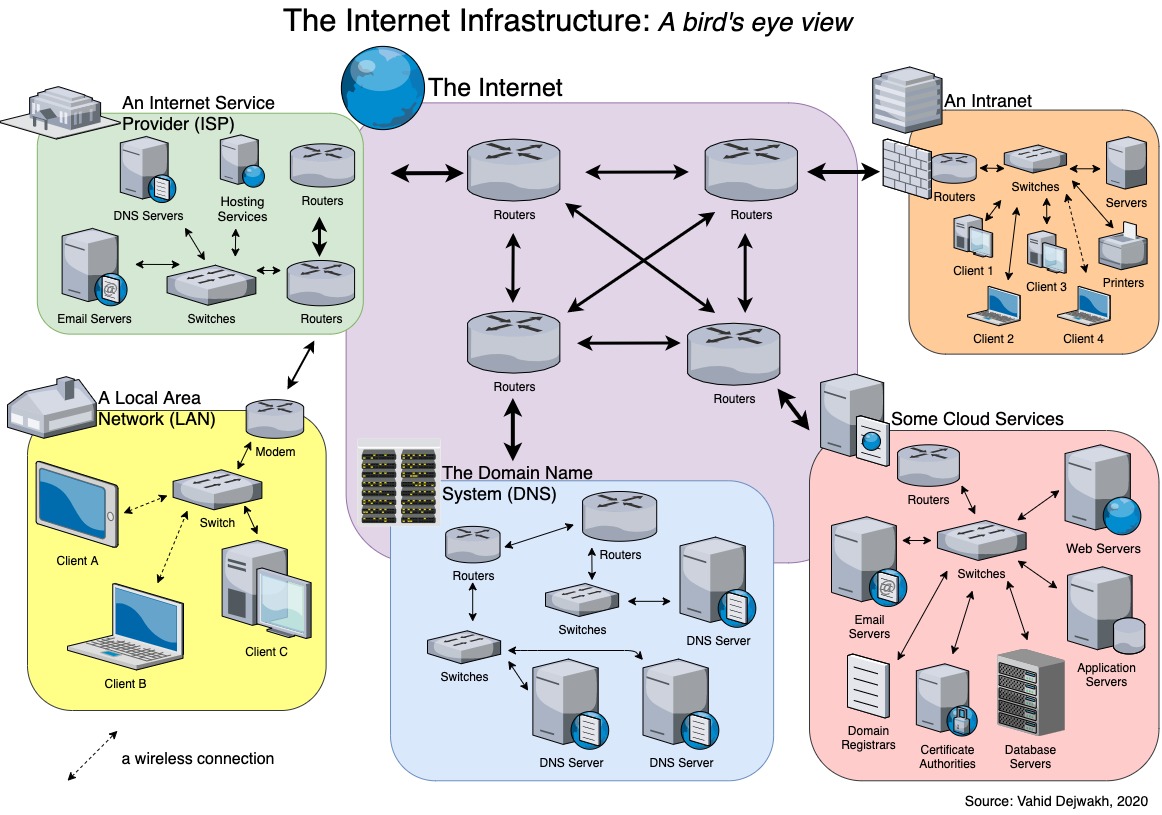
Explanation:
Small networks = Private Networks (Home, Office)
Large connecting network = Public Network (Internet)
The Internet connects millions of private networks worldwide.
3️⃣ IP Address Structure (IPv4)
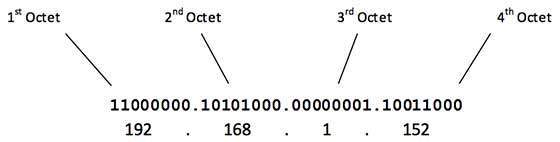

Explanation:
An IPv4 address has 4 parts, and each part is called an Octet.
Example:
192 . 168 . 1 . 1
Each octet helps identify:
Network
Sub-network
Host (device)
4️⃣ Private IP vs Public IP

Explanation:
Devices inside home/office use Private IP
Router uses Public IP to communicate with the Internet
Multiple devices can share one public IP using NAT
5️⃣ IPv4 vs IPv6 Comparison
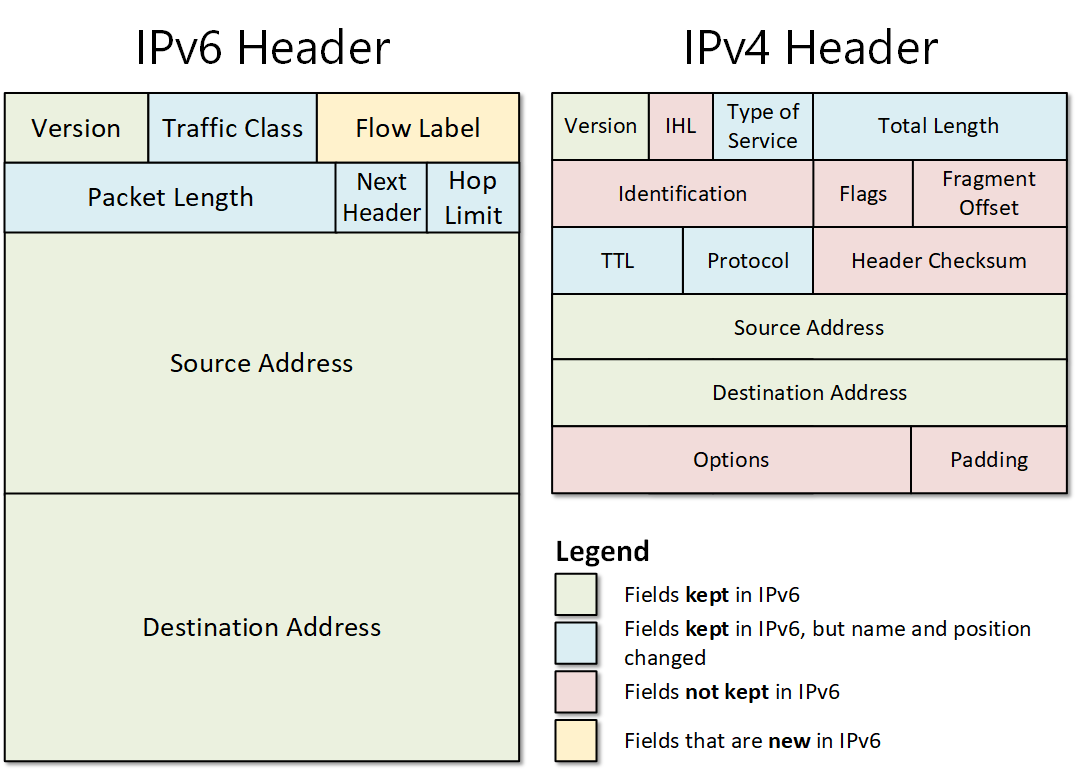
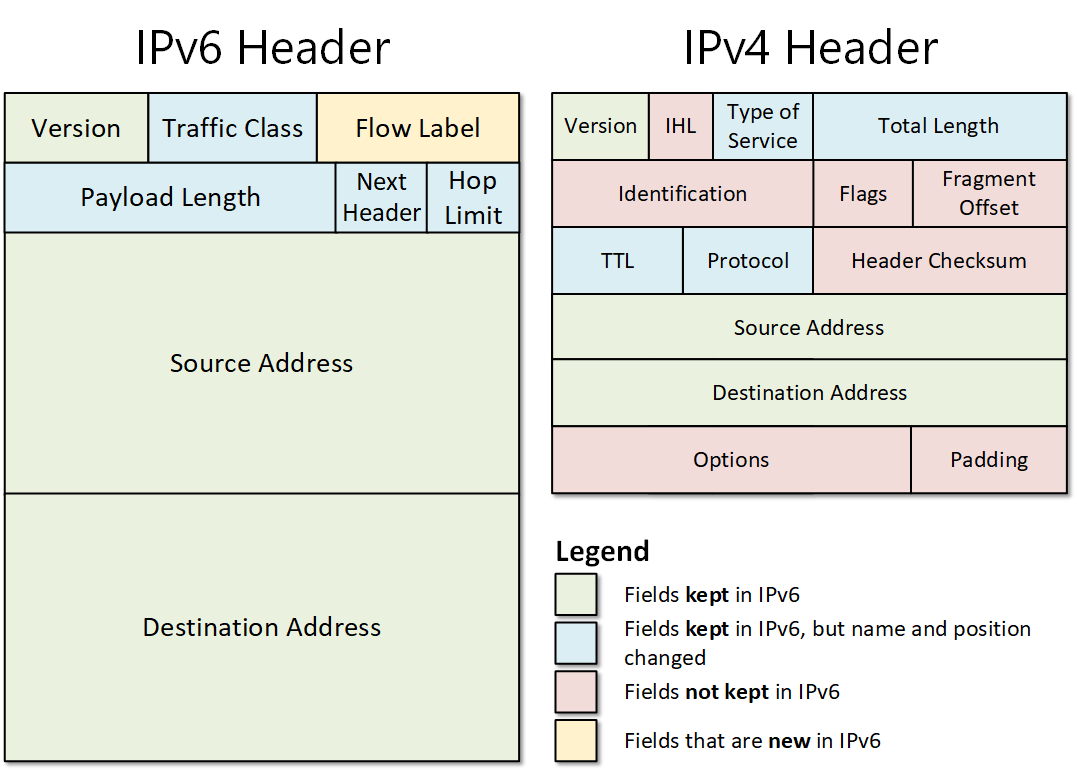
Explanation:
IPv4 → Limited addresses
IPv6 → Very large address space
IPv6 is the future due to billions of connected devices.
6️⃣ MAC Address (Hardware Identity)
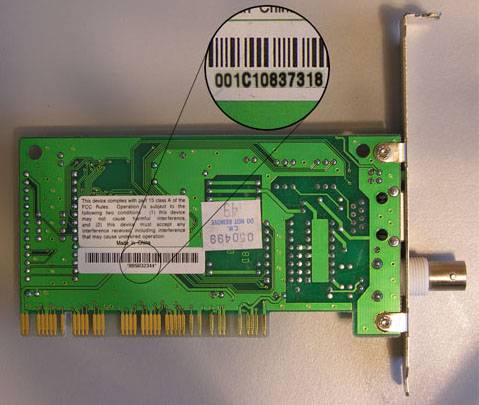
Explanation:
A MAC address is:
Fixed to network hardware
Written in hexadecimal
Example:
a4:c3:f0:85:ac:2d
7️⃣ MAC Spoofing (Hotel Wi-Fi Example)
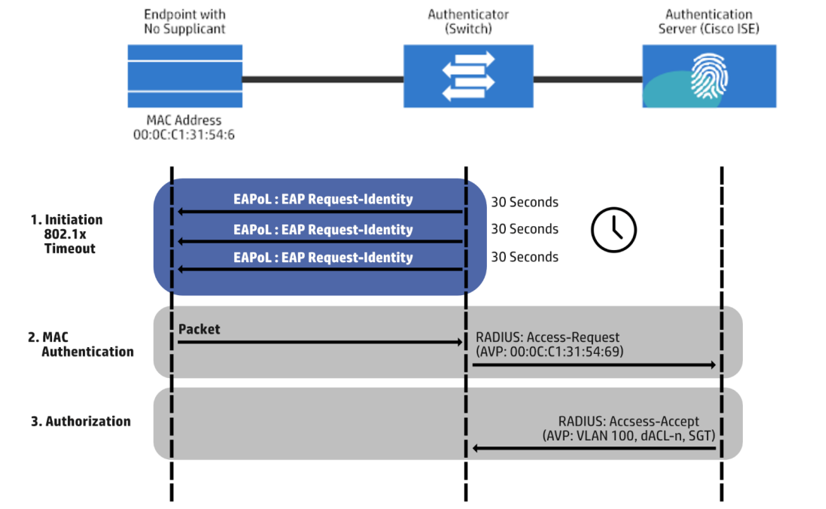
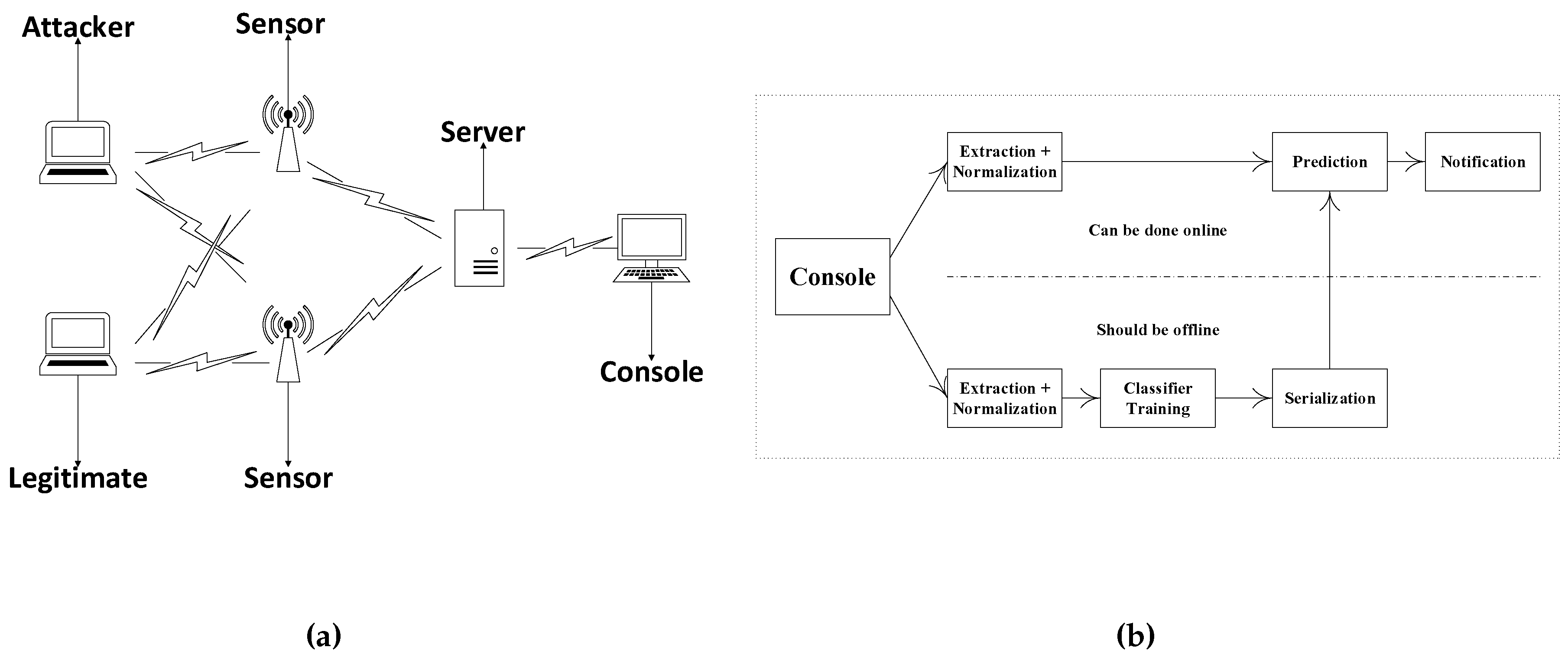
Explanation:
Paid user’s MAC → Allowed
Attacker copies MAC → Gets access
This shows why MAC-based security alone is weak.
No comments:
Post a Comment