Wireless Attacks in Kali Linux – Tools and Security Testing Guide
What Are Wireless Attacks?
Wireless attacks target Wi-Fi networks, access points, and wireless clients to identify security weaknesses.
These attacks may include:
Wi-Fi password cracking
Rogue / Fake access points
Man-in-the-Middle (MITM) attacks
Packet sniffing
Wireless information gathering
In Kali Linux, wireless testing tools are available for security professionals under:
Applications → Wireless Attacks
⚠ These tools must only be used in authorized lab environments.
Common Wireless Attack Techniques
1️⃣ WEP/WPA/WPA2 Cracking
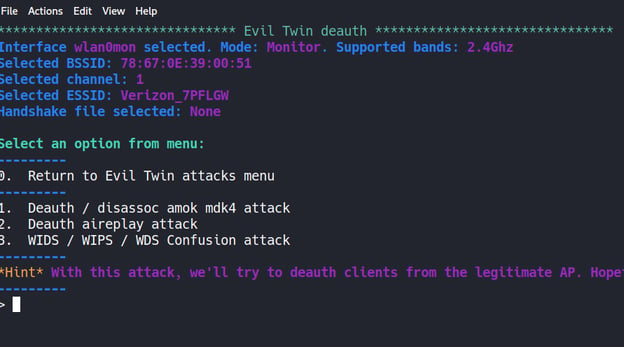
2️⃣ Evil Twin Attack (Fake Access Point)
3️⃣ Deauthentication Attack
4️⃣ Packet Sniffing
5️⃣ Man-in-the-Middle (MITM)
6️⃣ Wireless Reconnaissance
Lab Requirement for Wireless Testing
To perform wireless security testing:
Kali Linux machine
Wireless adapter supporting Monitor Mode
Test router (your own)
Isolated lab environment
Check wireless interface:
iwconfig
Enable monitor mode:
airmon-ng start wlan0
1️⃣ Aircrack-ng
About
Aircrack-ng is the most popular wireless security auditing tool suite.
It includes tools for:
Packet capture
Deauthentication
WPA/WPA2 handshake capture
Password cracking
Aircrack-ng Workflow
Step 1: Enable Monitor Mode
airmon-ng start wlan0
Step 2: Scan Networks
airodump-ng wlan0mon
Step 3: Capture Handshake
airodump-ng -c 6 --bssid <AP_MAC> -w capture wlan0mon
Step 4: Deauthentication Attack
aireplay-ng --deauth 10 -a <AP_MAC> wlan0mon
Step 5: Crack Password
aircrack-ng capture.cap -w rockyou.txt
Aircrack-ng Example Output


2️⃣ Fern WiFi Cracker
About
Fern Wifi Cracker is a GUI-based wireless cracking tool.
Features:
WEP/WPA cracking
Automated attack
Session hijacking
Brute-force & dictionary attacks
Launch:
fern-wifi-cracker
It is beginner-friendly compared to command-line tools.
3️⃣ Kismet
About
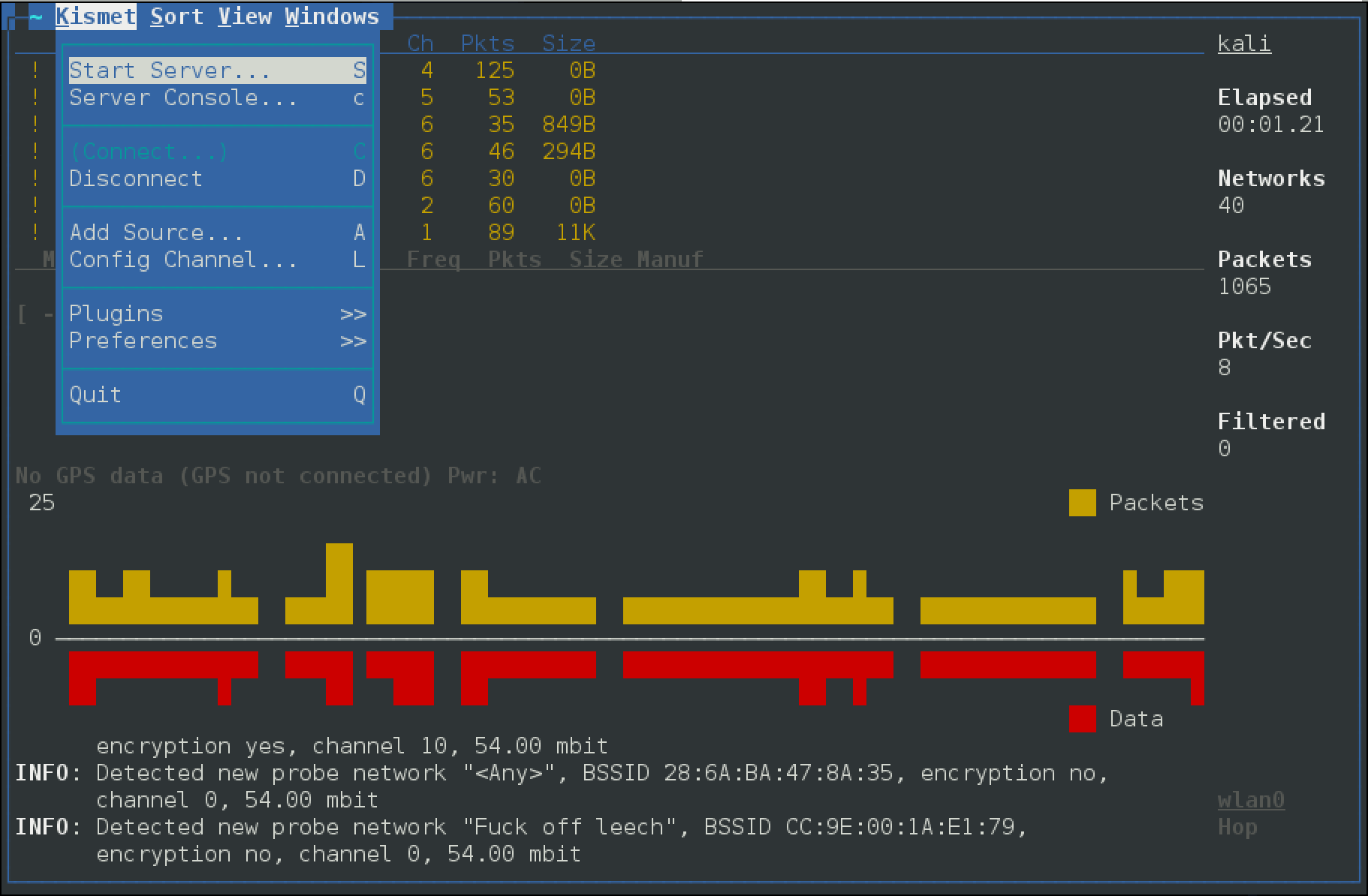
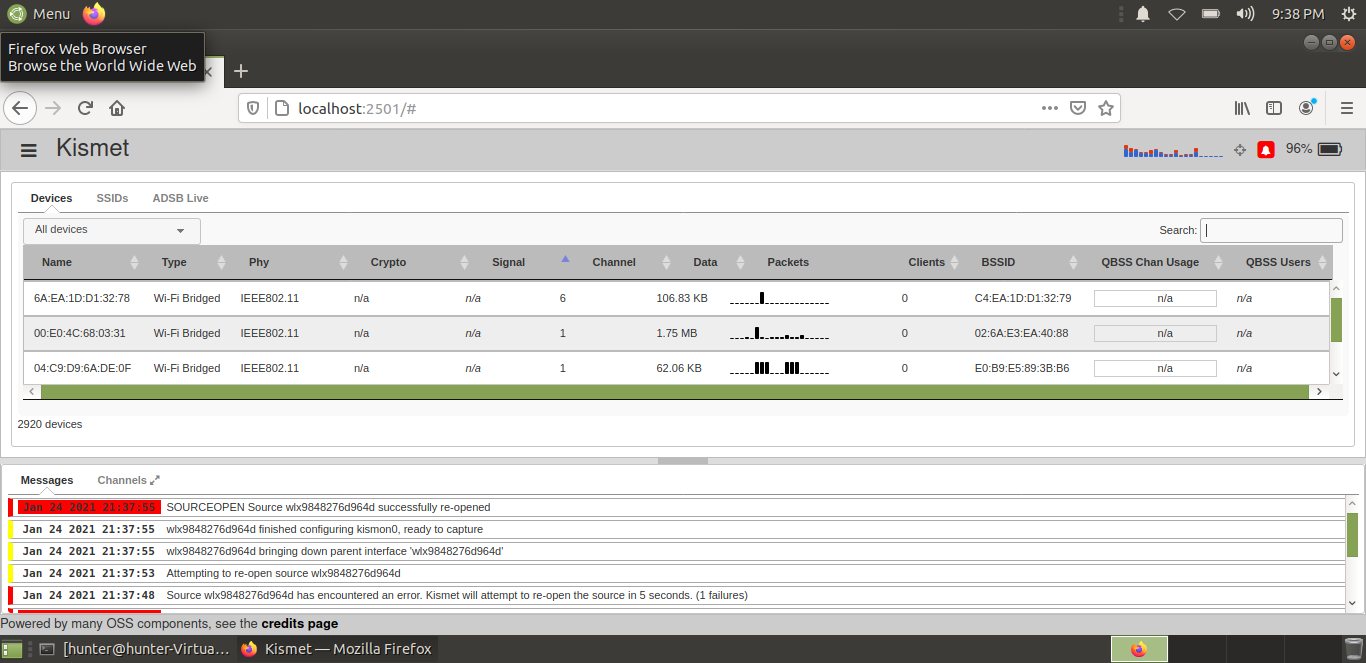
Kismet is a wireless network detector and packet sniffer.
It helps in:
Wireless reconnaissance
Detecting hidden networks
Identifying rogue access points
Monitoring wireless traffic
Kismet Interface

Launch:
kismet
Kismet is mainly used for passive information gathering.
4️⃣ Ghost Phisher
About
Ghost Phisher is used to create fake access points (Evil Twin attacks).
Capabilities:
Fake AP creation
DNS spoofing
Credential harvesting
MITM attacks
Scenario Example:
Victim connects to a fake Wi-Fi hotspot →
Attacker intercepts traffic →
Login credentials may be captured.
5️⃣ Wifite
About
Wifite is an automated wireless auditing tool.
It combines:
Aircrack-ng
Reaver
Handshake capture
WPA cracking
Launch:
wifite
Wifite automates:
Scanning
Handshake capture
Deauthentication
Password cracking
It is useful for quick lab testing.
Wireless Attack Scenario Example
Evil Twin Attack
Attacker creates fake Wi-Fi named “Free_Public_Wifi”
Victim connects to fake AP
Attacker intercepts traffic
Login credentials may be captured
This is commonly used in:
Airport Wi-Fi attacks
Coffee shop hotspots
Public Wi-Fi environments
Wireless Security Testing Workflow
Enable monitor mode
Scan wireless networks
Identify encryption type
Capture handshake
Attempt password audit
Report vulnerabilities
Recommend security improvements
How to Protect Against Wireless Attacks
To secure Wi-Fi networks:
Use WPA3 encryption
Disable WPS
Use strong passwords
Hide management interfaces
Enable MAC filtering
Monitor rogue access points
Avoid connecting to public Wi-Fi
Comparison of Tools
| Tool | Type | Purpose |
|---|---|---|
| Aircrack-ng | CLI | Wireless cracking |
| Fern WiFi Cracker | GUI | Beginner-friendly cracking |
| Kismet | Passive Scanner | Wireless reconnaissance |
| Ghost Phisher | MITM Tool | Fake access point |
| Wifite | Automated | Quick wireless audit |
Legal Warning
Wireless attacks must only be performed:
In your own lab
On your own router
With written authorization
Unauthorized Wi-Fi attacks are illegal under cyber laws.
No comments:
Post a Comment