Web Application Analysis in Kali Linux – Tools, Attacks & Practical Overview
What is Web Application Analysis?
A web application is a dynamic website that interacts with users through browsers and communicates with a backend server or database.
Web Application Analysis is the process of:
Identifying vulnerabilities
Testing authentication & authorization
Detecting input validation flaws
Preventing data leakage
These tools are available in Kali Linux under:
Applications → Web Application Analysis
Common Web Application Vulnerabilities
Web applications are commonly vulnerable to:
1️⃣ SQL Injection (SQLi)
Manipulating database queries through user input.
2️⃣ Denial of Service (DoS)
Overloading the server to make it unavailable.
3️⃣ URL Manipulation
Changing parameters in URL to access unauthorized data.
4️⃣ Authentication Bypass
Weak login mechanisms.
5️⃣ Cross-Site Scripting (XSS)
Injecting malicious scripts into web pages.
Important Web Application Analysis Tools
1️⃣ Burp Suite
About
Burp Suite is one of the most powerful and widely used web application security testing tools.
It works as a proxy between browser and server.
Key Features:
Intercept HTTP requests
Modify request parameters
Test authentication
Scan for vulnerabilities
Burp Suite Interface
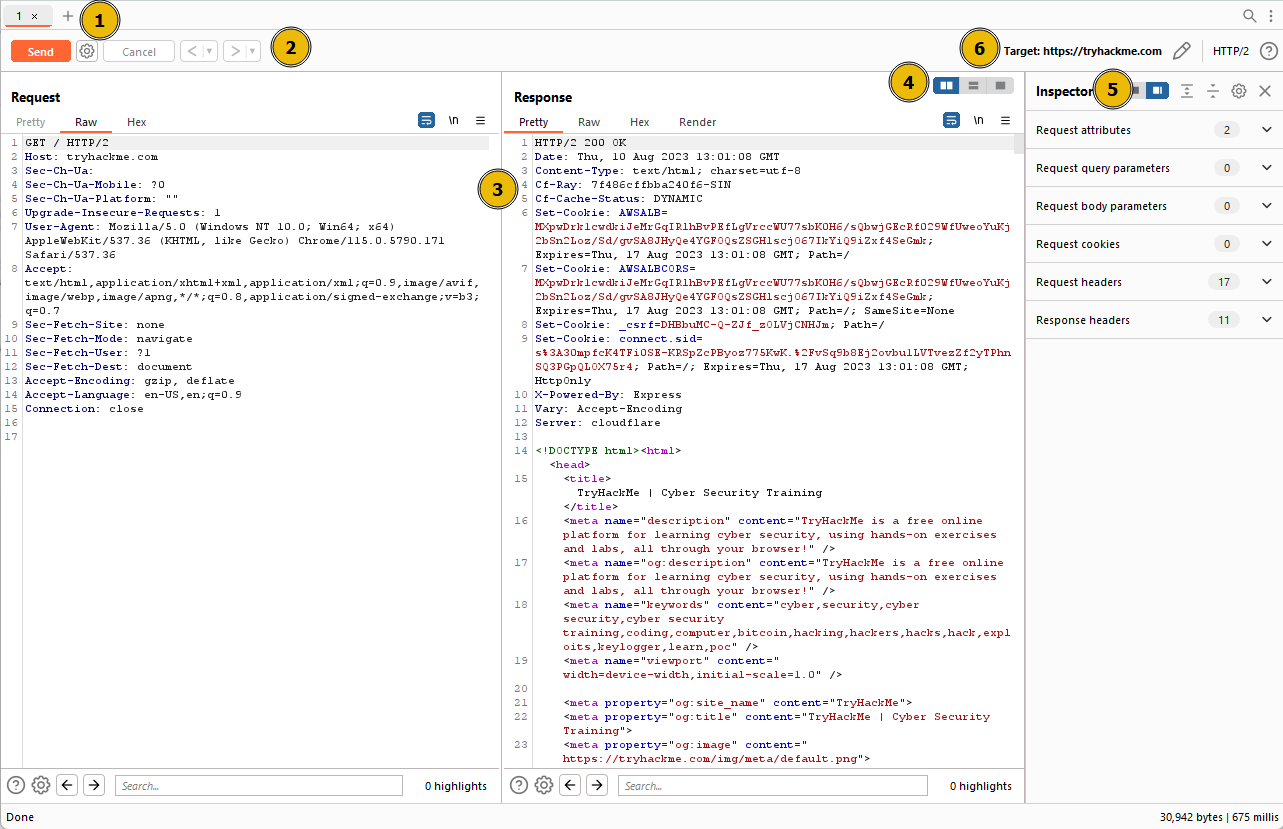
How It Works:
Configure browser proxy (127.0.0.1:8080)
Enable Intercept
Capture login request
Modify parameters
Forward request
Commonly used for:
SQL injection testing
Authentication testing
Session handling analysis
2️⃣ HTTrack
About
HTTrack is a website cloning tool.
It downloads complete websites locally.
Uses:
Analyze website structure
Discover hidden directories
Offline vulnerability assessment
Example:
httrack http://example.com
3️⃣ SQLMap
About
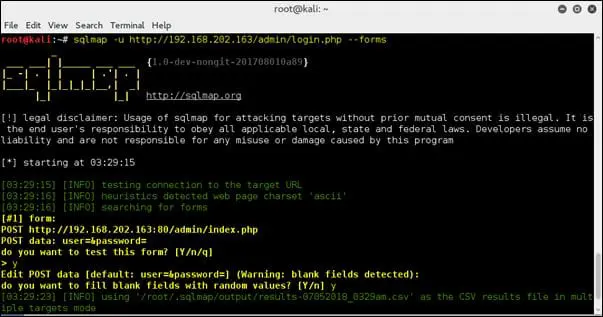
SQLmap is an automated SQL injection testing tool.
It detects and exploits SQL injection vulnerabilities.
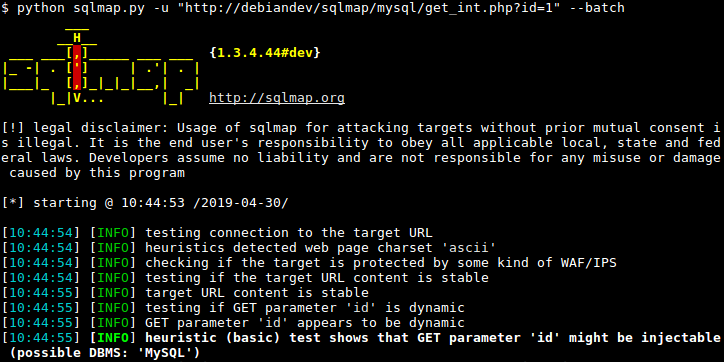
Example Usage:
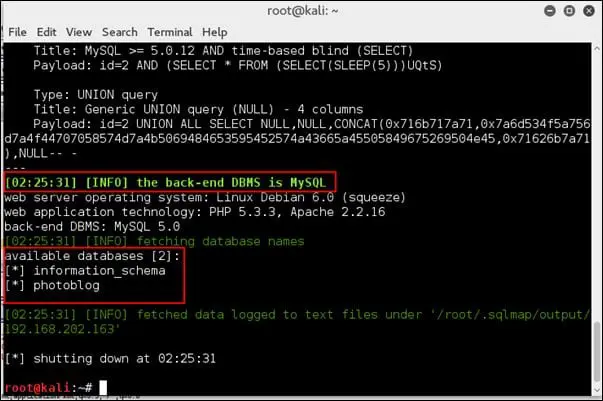
sqlmap -u "http://example.com/page.php?id=1" --dbs
This checks:
Whether parameter is injectable
Lists available databases
SQLMap Example Output
4️⃣ Vega
About
Vega is a GUI-based web vulnerability scanner.
Features:
Detects XSS
Detects SQL injection
Scans for misconfigurations
Automated web crawling
It is beginner-friendly compared to manual tools.
5️⃣ WebScarab
About
WebScarab is a web proxy tool similar to Burp Suite.
Capabilities:
Intercept HTTP requests
Analyze session tokens
Modify parameters
Perform fuzzing
6️⃣ WPScan
About
WPScan is specifically designed to scan WordPress websites.
It detects:
Vulnerable plugins
Outdated themes
Weak passwords
WordPress version
Example:
wpscan --url http://example.com
7️⃣ OWASP ZAP
About
OWASP ZAP (Zed Attack Proxy) is a popular open-source web application scanner.
Features:
Automated scanning
Manual testing
Proxy interception
Vulnerability reporting
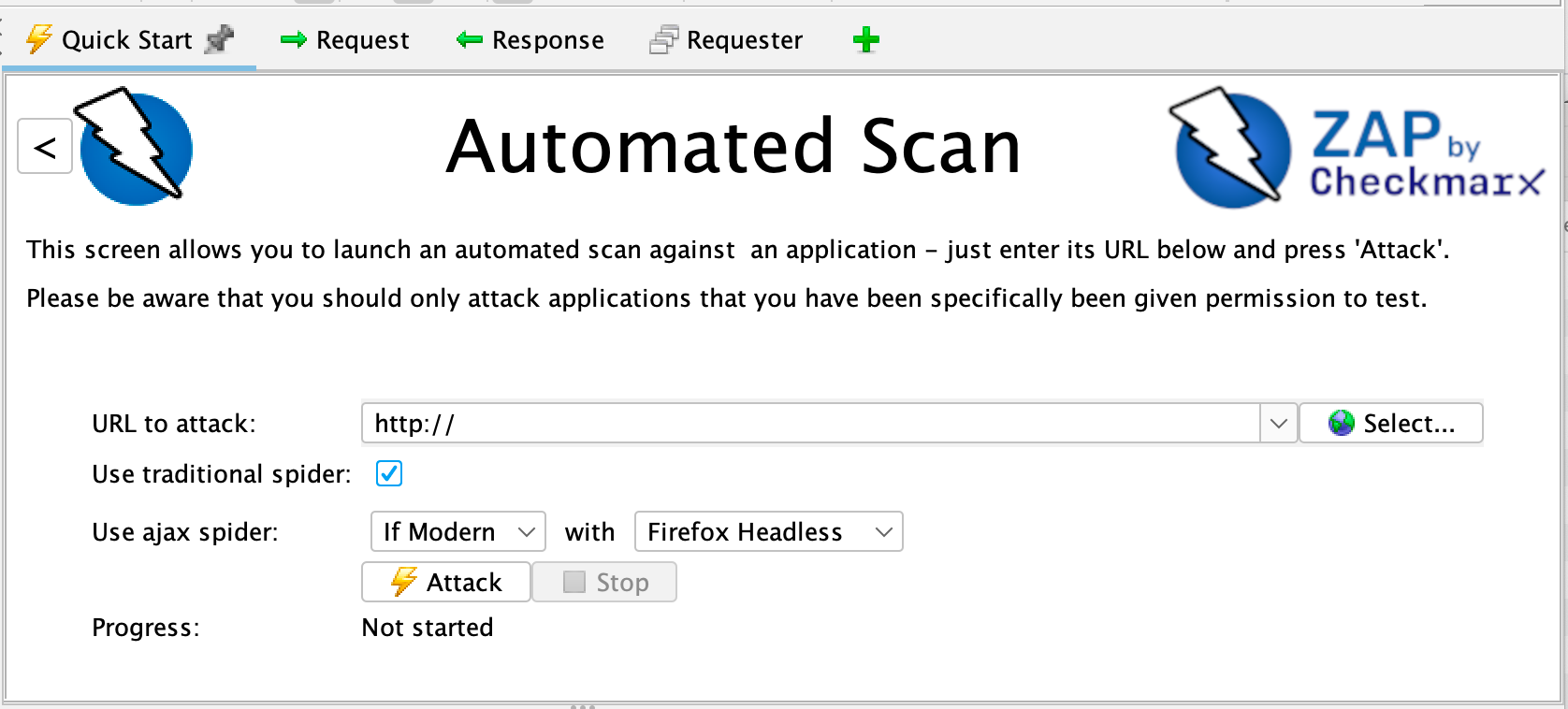
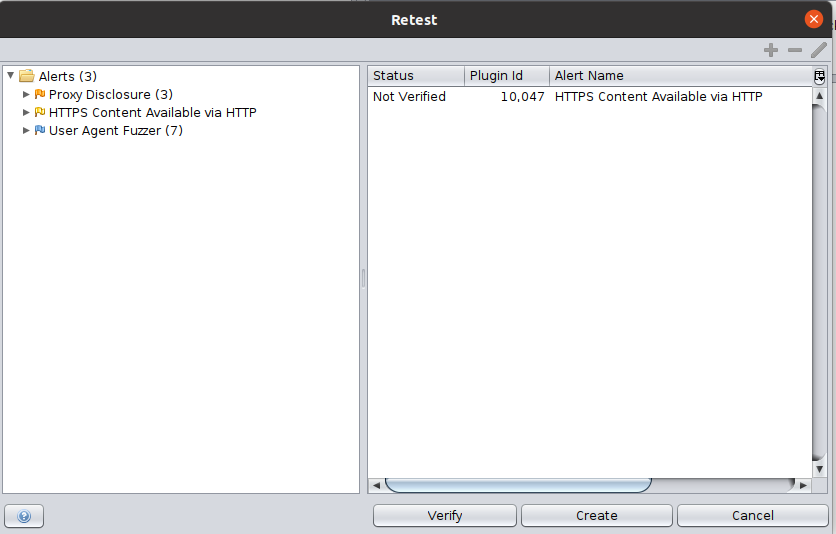
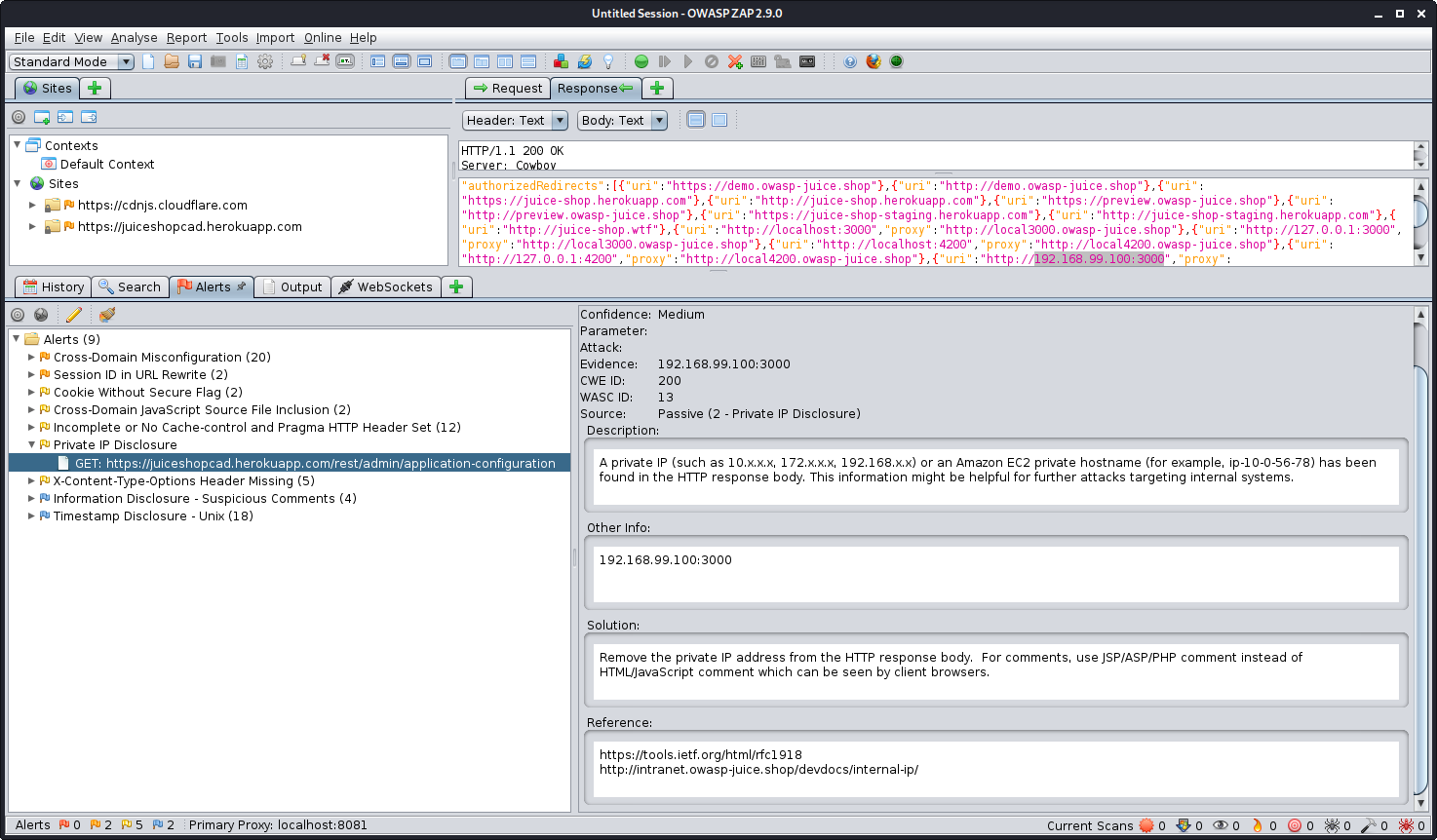
ZAP Interface Example

8️⃣ Skipfish
About
Skipfish is a fast web application security reconnaissance tool.
It performs:
Website crawling
Vulnerability mapping
Security testing
Example:
skipfish -o output http://example.com
Web Application Testing Workflow
Identify target website
Map application structure
Intercept traffic (Burp / ZAP)
Test parameters for injection
Perform automated scanning
Analyze vulnerabilities
Recommend mitigation
Real-World Example
Consider an E-commerce website with payment gateway.
Web Application Analysis checks:
Is login secure?
Is payment API protected?
Can URL parameters be manipulated?
Is database query sanitized?
If input validation is weak, attackers may:
Extract customer data
Bypass authentication
Manipulate payment amount
Comparison of Major Tools
| Tool | Type | Best For |
|---|---|---|
| Burp Suite | Proxy + Manual | Deep testing |
| Vega | GUI Scanner | Beginner-friendly |
| WebScarab | Proxy | Manual analysis |
| SQLMap | CLI | SQL injection |
| WPScan | Specialized | WordPress security |
| ZAP | Proxy + Auto | Full web scanning |
| Skipfish | CLI Scanner | Fast crawling |
| HTTrack | Cloner | Website structure |
Legal & Ethical Note
Web application testing must only be done:
On your own lab
On websites you own
With written authorization
Unauthorized testing is illegal.
No comments:
Post a Comment