Sunday, March 22, 2026

Introduction to Ethical Hacking

๐Ÿ›ก️ Introduction to Ethical Hacking (Complete Beginner Guide)

Image

1.1 What is Ethical Hacking?

Ethical hacking means checking computer systems for security problems with permission, so that those problems can be fixed before criminals try to use them.

You can think of ethical hacking as being a security tester for computers and networks.

๐Ÿ” Simple Example

Imagine your computer network is like a house:

  • Bad hackers (Black Hats) → Like thieves who break in without permission to steal or damage.

  • Ethical hackers (White Hats) → Like security inspectors invited by the owner to check locks, doors, and windows.

If they find a weak lock, they report it so it can be fixed.

๐Ÿ‘‰ In the same way, ethical hackers test:

  • Websites

  • Applications

  • Networks

to find weaknesses before cybercriminals do.


1.2 Why is Ethical Hacking Important?

Image


Image

The main goals of ethical hacking are:

  • ✔️ Find security weaknesses in systems and networks

  • ✔️ Prevent cyber-attacks before they happen

  • ✔️ Protect important information (passwords, personal data, financial records)

  • ✔️ Keep systems safe for users

๐Ÿ‘‰ Ethical hacking helps organizations stay one step ahead of hackers.


1.3 Where Do Ethical Hackers Check for Security Problems?

Image

Image

Image

Image

Image

Ethical hackers test many systems we use daily:

๐ŸŒ Websites

Online shopping sites or portals
→ Check if user data can be stolen

๐Ÿ“ฑ Mobile Apps

Banking, UPI, ticket booking apps
→ Ensure payments and data are secure

๐Ÿ’ป Computers & Wi-Fi Networks

Office systems and servers
→ Check unauthorized access risks

๐Ÿ“ฒ Social Media Accounts

→ Test login security and protection systems

๐Ÿฆ Banking & ๐Ÿฅ Hospital Systems

→ Protect financial and medical data

๐Ÿ‘‰ Their goal is to find and fix weaknesses before attackers exploit them.


1.4 Types of Hackers (Easy Chart)

Image

Image


Type of HackerDescription
๐ŸŸข White HatEthical hackers working legally to improve security
⚫ Black HatCriminal hackers who steal or damage data
⚪ Grey HatMix of both, may hack without permission but not always malicious

๐Ÿ‡ฎ๐Ÿ‡ณ 1.5 Why India Needs Ethical Hacking NOW

Image

Image

Image


1.5.1 Importance in India

India is one of the fastest-growing digital countries:

  • ๐Ÿ“ฑ 1+ billion mobile users

  • ๐Ÿ’ธ Massive UPI transactions (lakhs of crores monthly)

  • ๐ŸŒ Millions using online services daily

๐Ÿ‘‰ But with growth comes cybercrime.

Hackers target:

  • Banking apps

  • Government systems

  • Websites

  • Online users

๐Ÿ‘‰ That’s why ethical hacking is critical for India today.


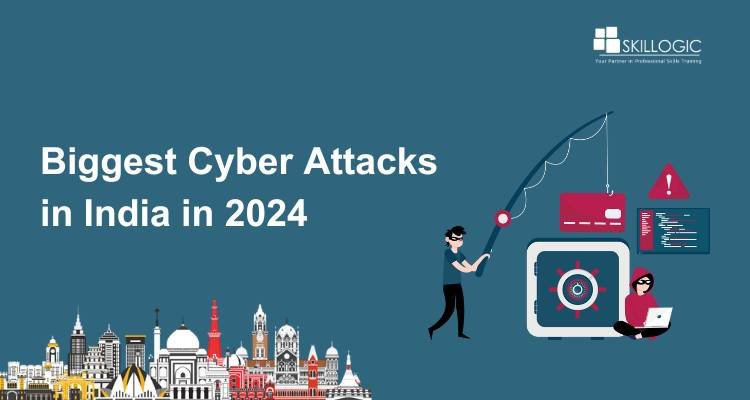
1.5.2 Real Cyber Incidents in India
Image

Image

Image

Image


๐Ÿšจ Major Incidents:

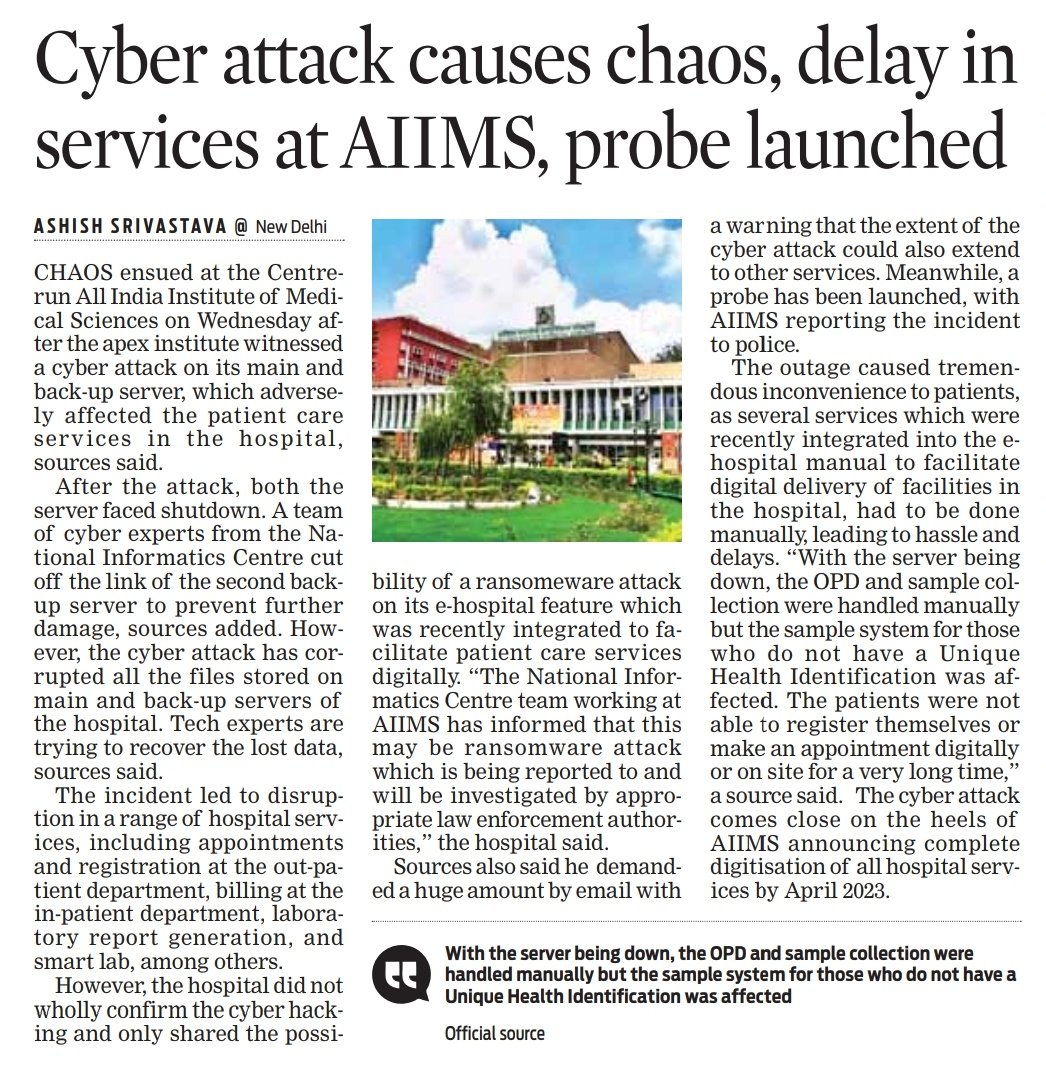
  • AIIMS Delhi Ransomware Attack (2022)
    Hospital systems stopped; manual work continued for days

  • CoWIN Data Leak Concern (2023)
    Citizen data reportedly accessed via Telegram bot

  • Air India Data Breach (2021)
    4.5 million passengers’ data exposed

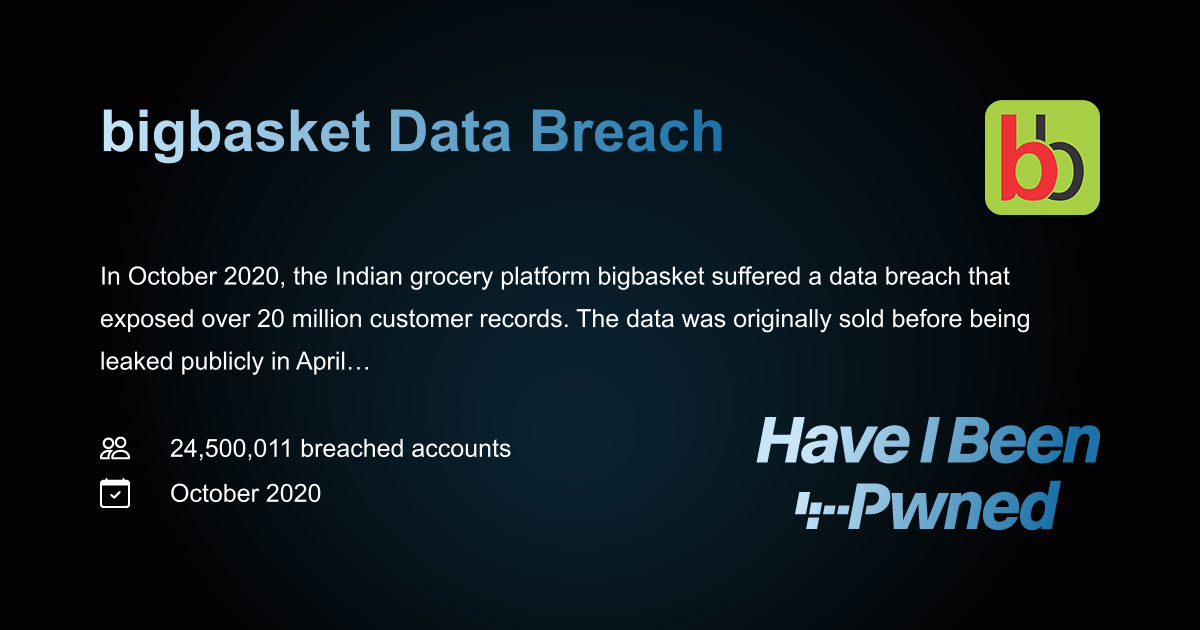
  • BigBasket Data Breach (2020)
    20 million users’ data leaked

  • Kudankulam Nuclear Plant Malware (2019)
    Critical infrastructure targeted

  • Rising Online Fraud
    OTP scams, phishing, fake police calls


1.5.3 Common Cyber Attacks in India

  • ๐ŸŽฃ Phishing – Fake emails/messages

  • ๐Ÿ’ณ UPI Fraud – OTP/PIN scams

  • ๐Ÿ“‚ Data Leaks – Personal info exposed

  • ๐Ÿ”’ Ransomware – Systems locked for money

  • ๐Ÿ“ฑ Social Media Hacking – Account takeovers


1.5.4 Real-Life Scam Example

๐Ÿ“ฉ You receive a WhatsApp message:

“Your bank account is blocked. Click this link and enter your OTP.”

๐Ÿ‘‰ If you enter OTP → attacker can steal your money.


1.5.5 Role of Ethical Hackers
Image

Image


Ethical hackers help by:

  • ๐Ÿ” Finding vulnerabilities before criminals

  • ๐Ÿ› ️ Helping companies fix security issues

  • ๐Ÿ’ฐ Participating in bug bounty programs

Companies like:

  • PhonePe

  • Paytm

๐Ÿ‘‰ Reward ethical hackers for reporting bugs.

Government Role:

  • Strong cybersecurity rules

  • Data protection laws

  • Regular security audits required
Wednesday, March 18, 2026

Social Media Cyber Attacks in India : Real Cases, Detection Tools Daily Update Sources (2026)

Image

Image

๐Ÿ“ฐ Real Incidents from India 

Digital Arrest Scam Cases


  • Victims lost ₹6 lakh to ₹50 lakh

  • Attack via WhatsApp impersonating CBI/NIA

  • Psychological pressure + real-time monitoring

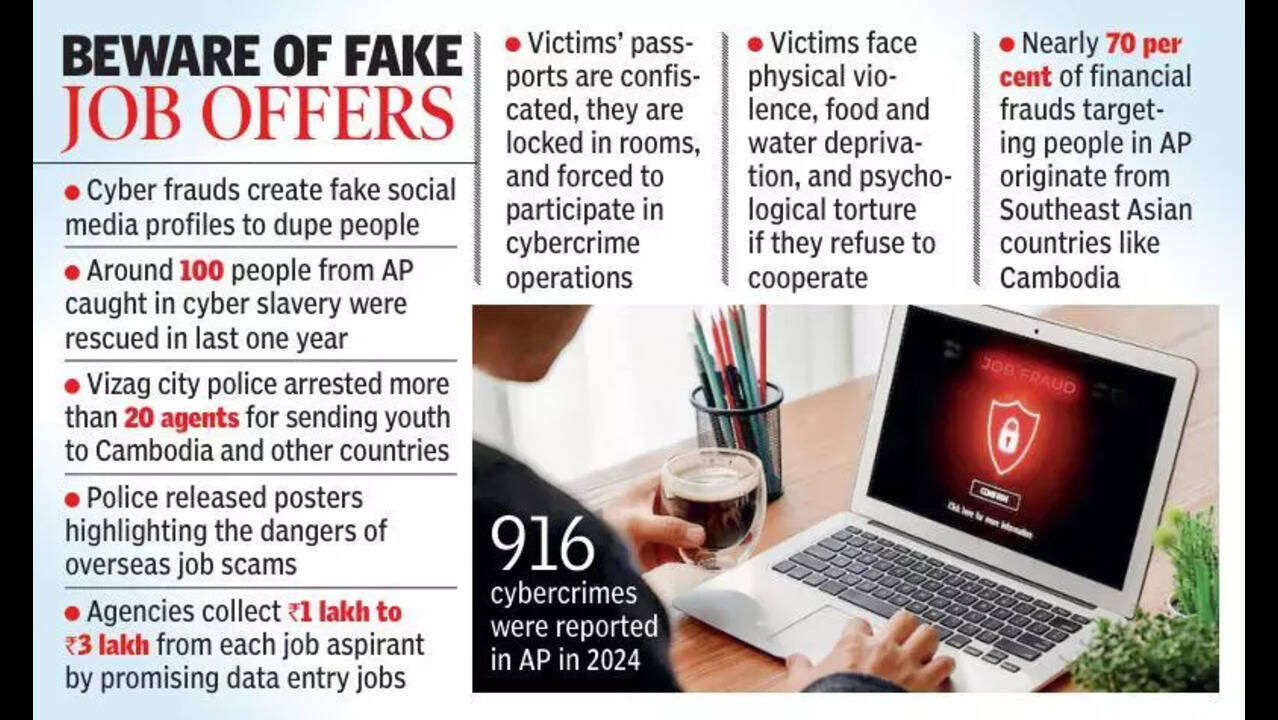
Instagram Job Scam


  • Fake job offers via Instagram

  • Victims trapped in cyber fraud networks


Deepfake Fraud Cases


Image

  • AI-generated voice/video scams rising

  • Used in financial fraud and impersonation


๐Ÿ” Common Attacks in India

  • Phishing links (KYC, bank, electricity)

  • Fake profiles (army/govt impersonation)

  • OTP / UPI scams

  • APK malware (RTO_CHALLAN.apk type)

  • Deepfake fraud

  • Account takeover


๐Ÿ› ️ Tools to Verify & Detect Attacks (Very Important Section)

๐Ÿ”— 1. Phishing / Suspicious Links Verification

Tools:

  • VirusTotal

  • URLScan.io

  • PhishTank

  • Google Safe Browsing

How to Use:

  • Paste suspicious URL

  • Check:

    • Domain age

    • IP reputation

    • Detection ratio


๐Ÿ‘ค 2. Fake Profile / Impersonation Detection

Tools:

  • Maltego

  • Sherlock

  • Social Searcher

  • TinEye

  • Google Reverse Image Search

How to Verify:

  • Check profile image reuse

  • Analyze followers vs engagement

  • Cross-check username across platforms


๐ŸŽญ 3. Deepfake / AI Content Detection

Tools:

  • Deepware Scanner

  • Reality Defender

  • Microsoft Video Authenticator

Verification Method:

  • Look for:

    • Lip-sync mismatch

    • Eye blinking anomalies

    • Voice delay or distortion


๐Ÿ“ฑ 4. APK / Malware Detection

Tools:

  • Hybrid Analysis

  • Any.Run

  • MobSF

  • VirusTotal

Steps:

  • Upload APK file

  • Check permissions (SMS, contacts, banking access)

  • Analyze behavior


๐Ÿ” 5. Account Breach / Credential Leak Detection

Tools:

  • Have I Been Pwned

  • DeHashed

Use Case:

  • Check if email/password leaked

  • Prevent account takeover


๐ŸŒ 6. Network & Enterprise Monitoring

Tools:

  • Wireshark

  • Zeek

  • Splunk

  • ELK Stack

๐Ÿ“ก Daily Update Sources (Stay Updated – Very Important)

๐Ÿ‡ฎ๐Ÿ‡ณ Government & Official Sources

  • CERT-In

    • Daily advisories & alerts

    • Website: cert-in.org.in

  • Indian Cyber Crime Coordination Centre

    • Fraud alerts & reporting trends

  • National Crime Records Bureau

    • Annual cybercrime reports


๐Ÿ“ฐ Cybersecurity News Platforms

  • The Hacker News

  • Krebs on Security

  • BleepingComputer

  • Dark Reading


๐Ÿง  Threat Intelligence & Feeds

  • MISP

  • OpenCTI

  • AlienVault OTX


๐Ÿ“ฑ Social Media Channels (Real-Time Updates)

Follow verified handles on:

  • Twitter (X):

    • CERT-In

    • Cyber Dost (Govt of India awareness handle)

    • Security researchers

  • Telegram Channels:

    • OSINT communities

    • Malware analysis groups


๐Ÿ“ง Recommended Setup for Daily Monitoring

  • Google Alerts (keywords):

    • “cyber fraud India”

    • “WhatsApp scam India”

    • “deepfake fraud India”

  • RSS Feeds:

    • The Hacker News

    • Bleeping Computer


๐Ÿง  Key Insight

  • Cyber threats change daily

  • Static knowledge is not enough

  • Real-time intelligence = strongest defense


๐Ÿ›ก️ Final Security Advice

Minimum checklist:

  • Link verify → VirusTotal

  • Profile check → Reverse image

  • File scan → Sandbox

  • Stay updated → CERT-In + security news


๐Ÿ Conclusion

India เคฎें cyber attacks เคคेเคœी เคธे evolve เคนो เคฐเคนे เคนैं:

  • AI + Social engineering + Real-time fraud

๐Ÿ‘‰ เคœो updated เคฐเคนेเค—ा เคตเคนी secure เคฐเคนेเค—ा

Wednesday, February 25, 2026

Network Security Phase–2: Active Reconnaissance


Tech Guardians – Cyber Range Based Course

Network Security Phase–2: Active Reconnaissance

Passive reconnaissance builds awareness without touching the target. The next stage — active reconnaissance — involves direct interaction with systems to identify network paths, open services, technologies, and system behavior.

Inside the Tech Guardians Cyber Range, students practice these techniques in a controlled environment where learning happens safely, legally, and practically.


๐Ÿ”Ž What is Active Reconnaissance?

Active reconnaissance requires making a connection to the target system. This interaction may be:

  • Visiting a website

  • Checking open ports

  • Sending network packets

  • Connecting to services such as SSH, HTTP, or SMTP

Because direct contact is made, logs can record:

  • Client IP

  • Connection time

  • Duration

  • Requested resources

Therefore, active reconnaissance must only be performed with proper authorization.


๐ŸŒ Web Browser as a Reconnaissance Tool

Image

Image

Image

Image

A web browser is one of the most powerful reconnaissance tools available on every system.

Key Capabilities

  • Inspect page source and JavaScript

  • View cookies and session data

  • Discover site structure

  • Identify backend technologies

Useful Extensions

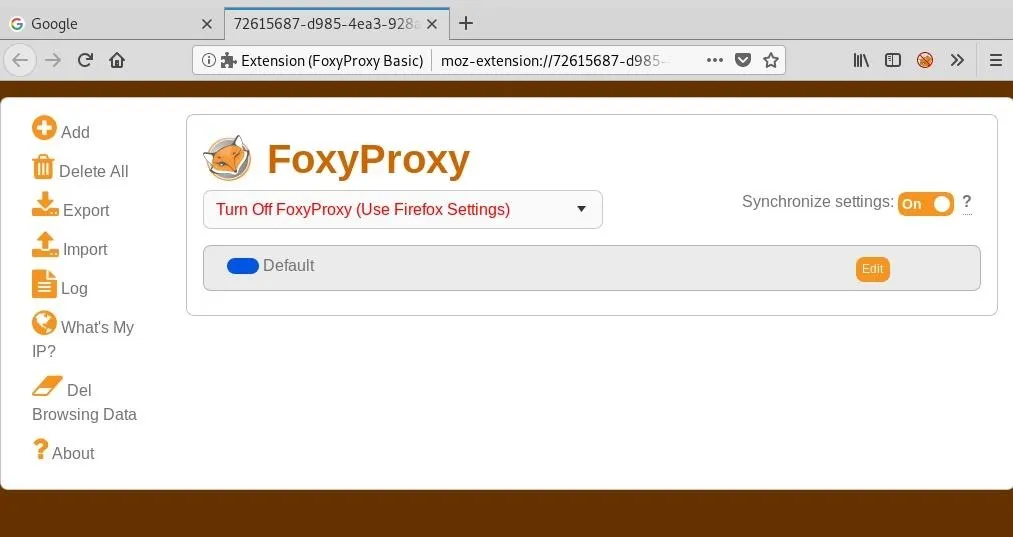
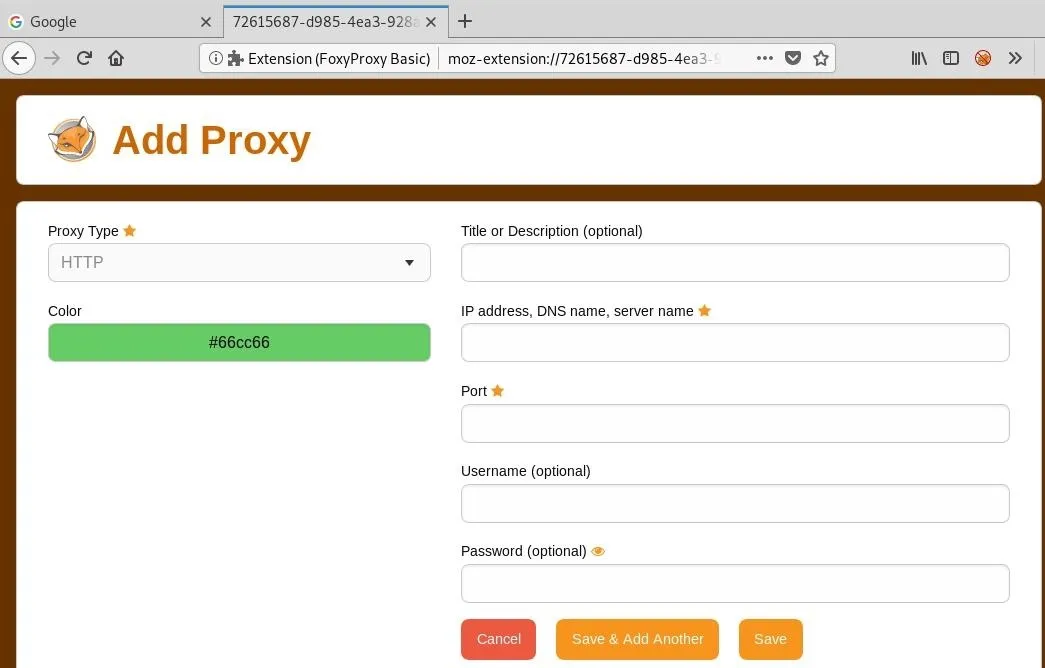
  • FoxyProxy → quick proxy switching (Burp Suite workflows)

  • User-Agent Switcher → simulate different devices and browsers

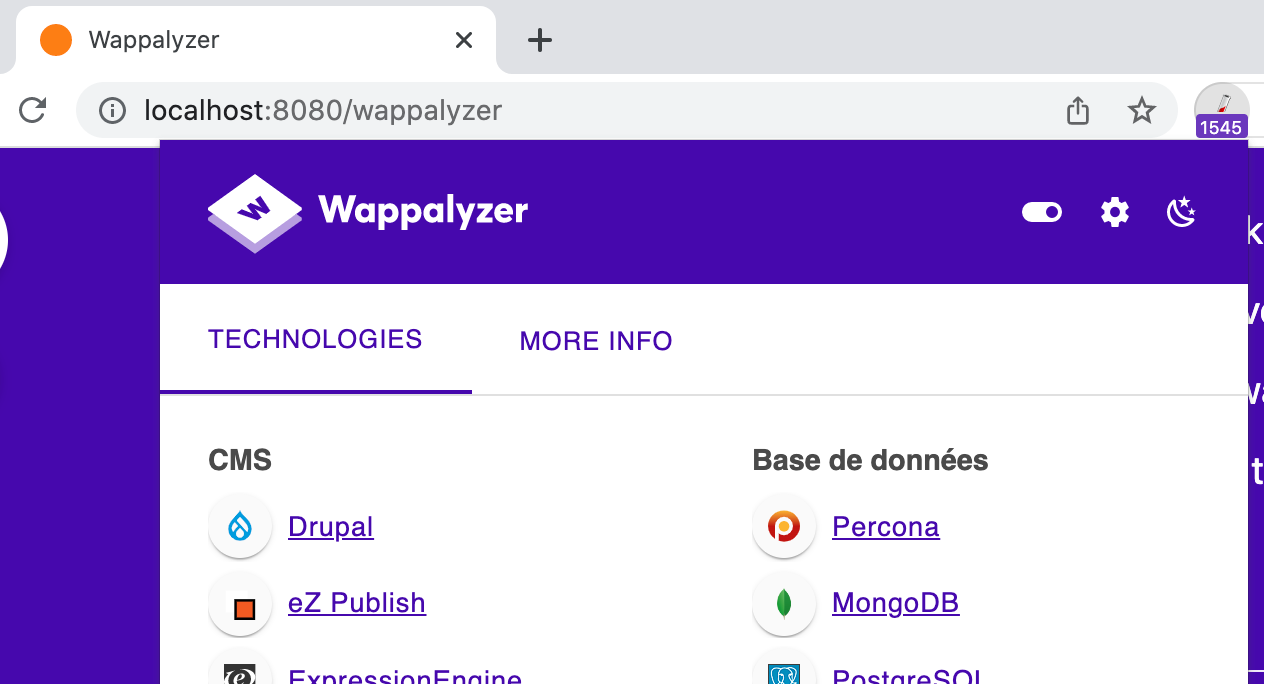
  • Wappalyzer → detect frameworks, servers, CMS, analytics

Default Transport Ports

  • HTTP → TCP 80

  • HTTPS → TCP 443

Custom ports can be accessed using:

https://IP:PORT

๐Ÿ“ก Ping — Checking System Availability

Image

Image

Image

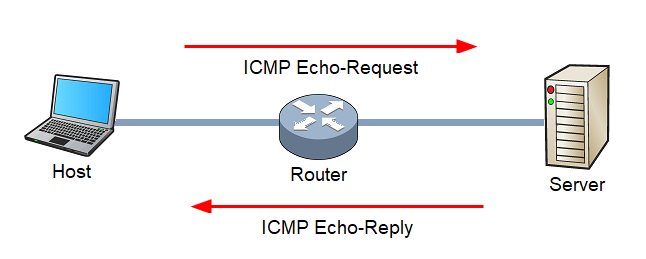
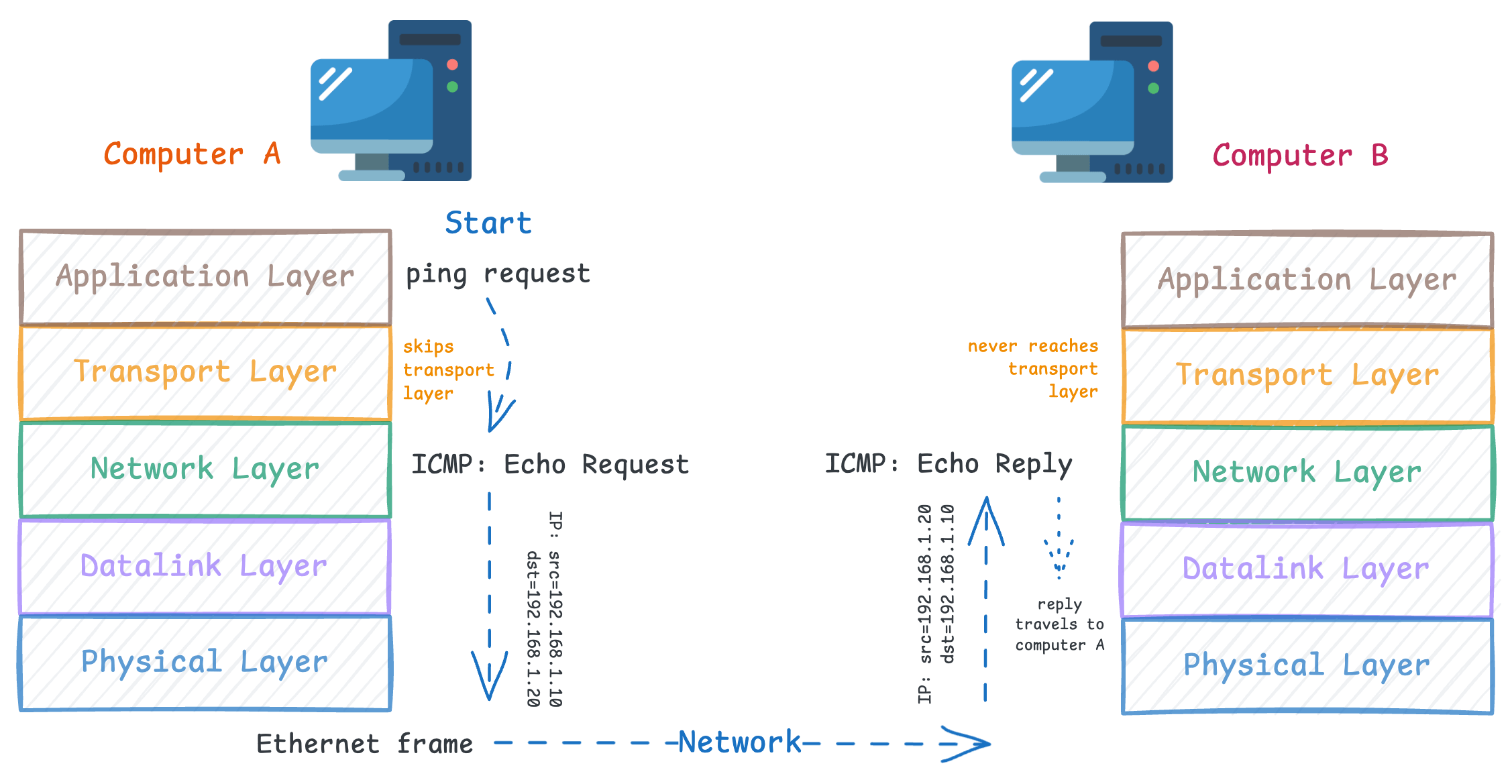
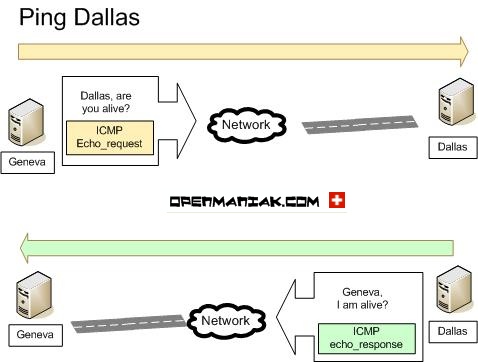
Ping verifies whether a system is online by sending an ICMP Echo Request and waiting for an Echo Reply.

Uses

  • Confirm host availability

  • Measure latency

  • Check network path reliability

Example

Linux:

ping -c 5 MACHINE_IP

Important Concepts

  • Uses ICMP protocol

  • ICMP header size → 8 bytes

  • Windows Firewall blocks ping by default

Possible reasons for no response:

  • System offline

  • Network issue

  • Firewall blocking ICMP


๐Ÿ›ฐ Traceroute — Mapping Network Path

Image

Image

Image


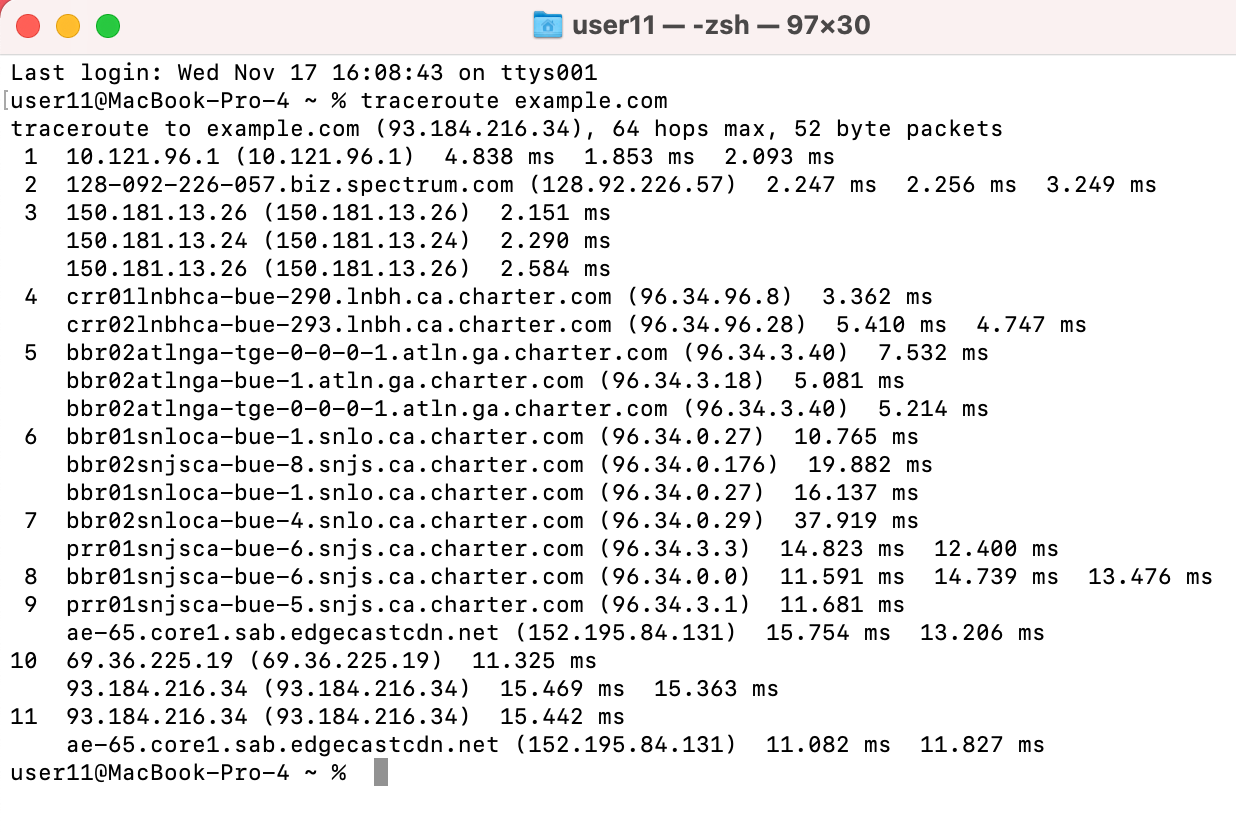
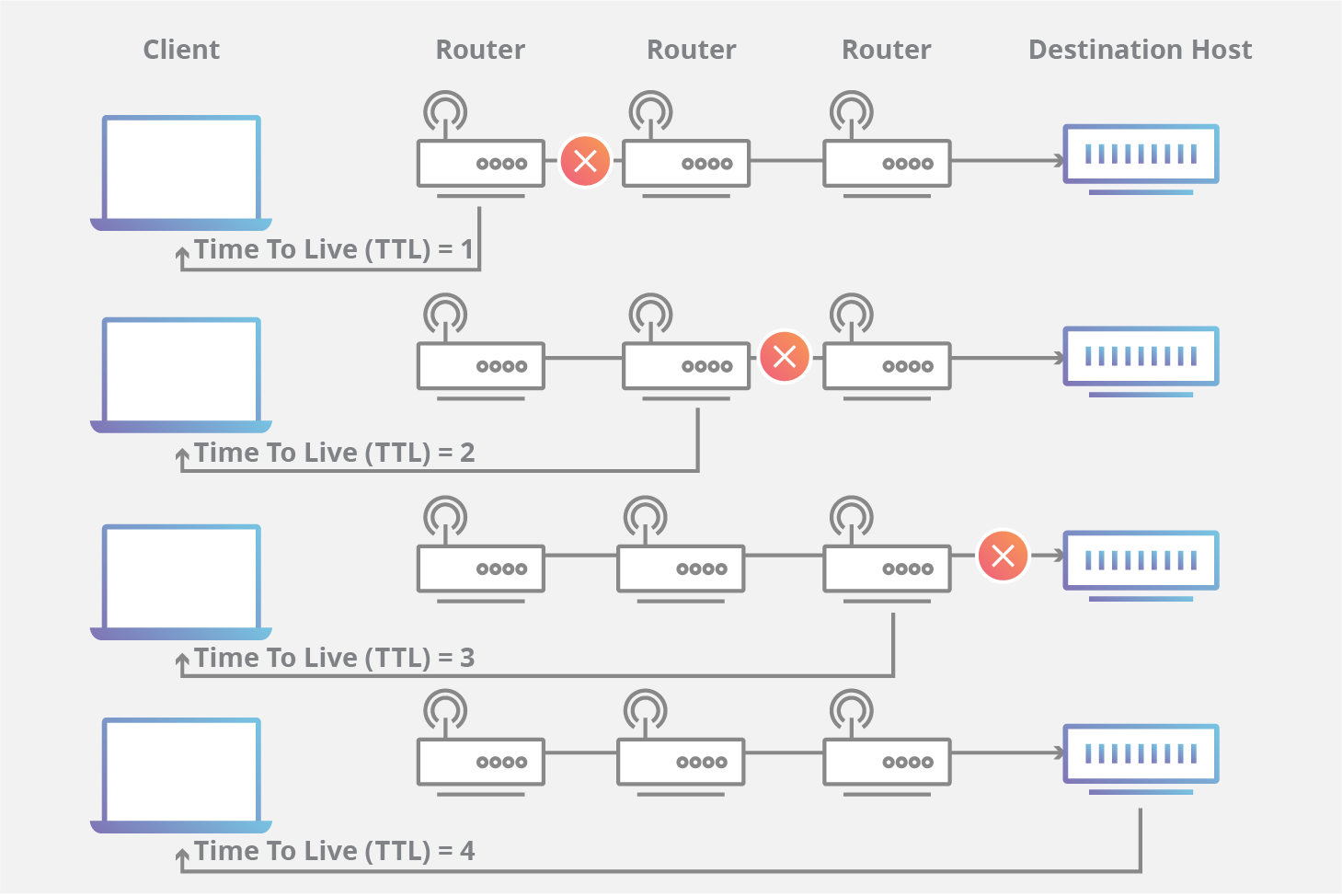
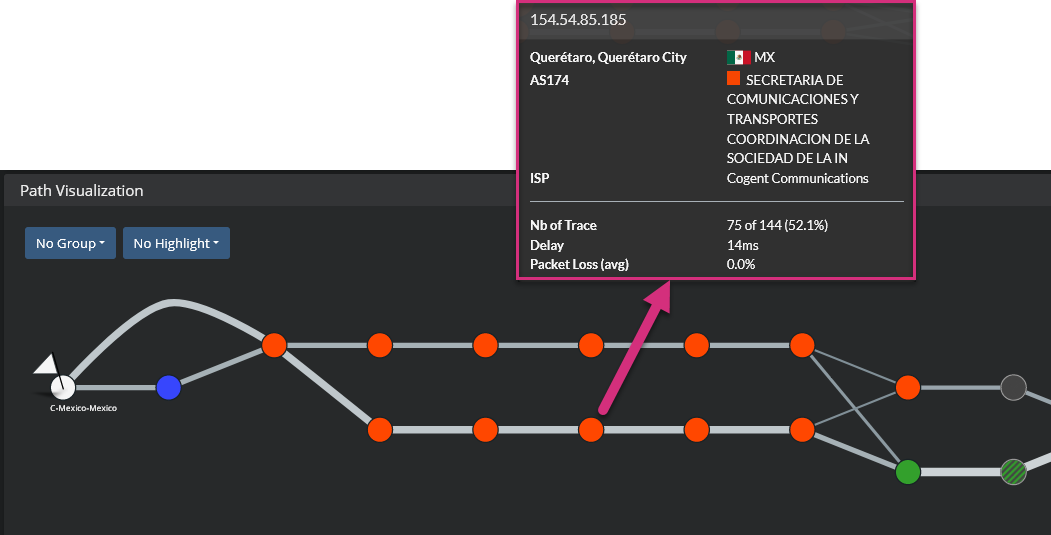
Traceroute reveals the routers (hops) between your system and the target.

It works by manipulating TTL (Time To Live) values to force routers to respond with ICMP messages.

What It Shows

  • Number of routers

  • Network latency per hop

  • Route changes over time

Commands

Linux/macOS:

traceroute MACHINE_IP

Windows:

tracert MACHINE_IP

Key Insight: Internet routes are dynamic, so results may vary.


๐Ÿ’ป Telnet — Banner Grabbing and Service Testing

Image

Image

Image

Image

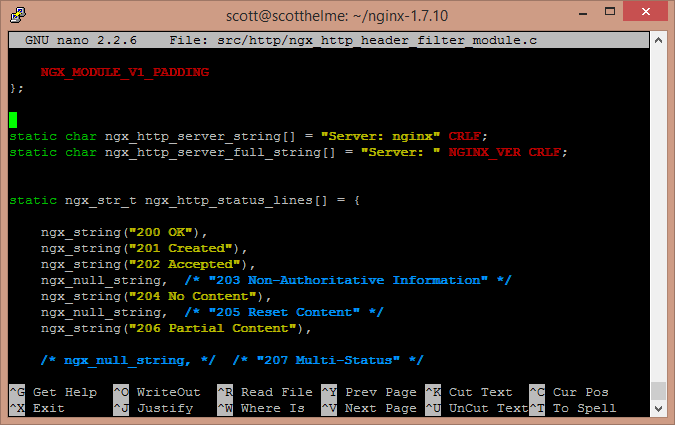
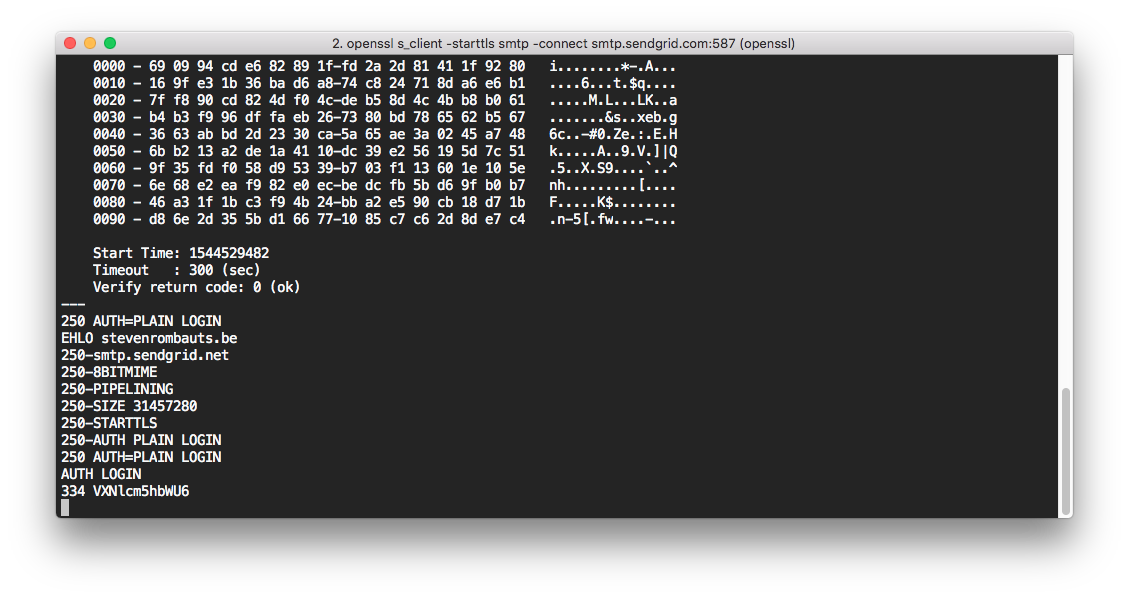
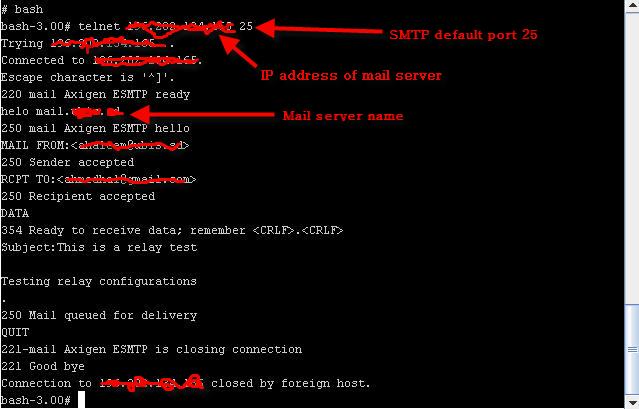
Telnet is an old remote administration protocol (port 23) that transmits data in plaintext. Although insecure for login, it is valuable for reconnaissance.

Uses

  • Connect to any TCP port

  • Grab service banners

  • Identify server type and version

Example:

telnet MACHINE_IP 80
GET / HTTP/1.1
host: test

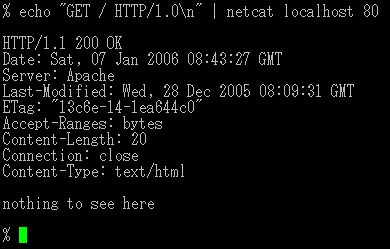
This may reveal:

Server: Apache / Nginx

⚡ Netcat (nc) — The Swiss Army Knife

Image

Image


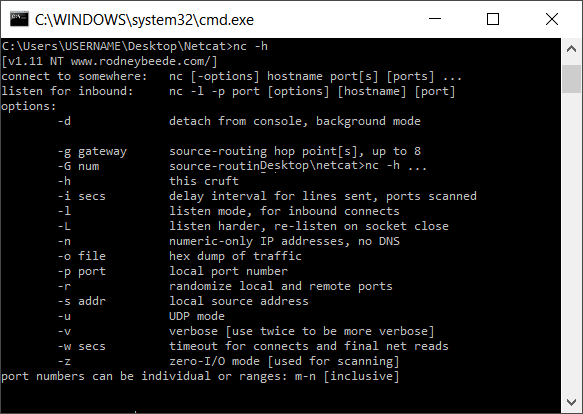
Netcat supports TCP and UDP and can act as both client and server.

Capabilities

  • Banner grabbing

  • Port connectivity testing

  • File transfer

  • Reverse shells

  • Simple chat channels

Example — Client

nc MACHINE_IP 80

Example — Server

nc -lvnp 1234

Common Options:

OptionMeaning
-lListen mode
-pSpecify port
-nNo DNS lookup
-vVerbose
-kKeep listening

๐Ÿง  Combining Tools for Recon Workflow

Basic scanning workflow:

  1. Ping → Check if host is alive

  2. Traceroute → Map network path

  3. Telnet / Netcat → Identify open ports and services

  4. Browser DevTools → Detect web technologies

Professional scanners like Nmap automate this process — covered in later course modules.


๐ŸŽฏ Learning Outcome in Tech Guardians Cyber Range

Students learn:

  • Real-world recon methodology

  • Safe testing inside isolated labs

  • Tool chaining and automation basics

  • How attackers gather intelligence

  • How defenders detect recon activity

Tuesday, February 24, 2026

Digital Forensics in Kali Linux – Tools and Investigation Overview


Digital Forensics in Kali Linux – Tools and Investigation Overview

What is Digital Forensics?

Digital Forensics is the process of identifying, collecting, preserving, analyzing, and presenting digital evidence from computers, storage devices, and networks.

It is used in:

  • Cybercrime investigations

  • Incident response

  • Data recovery

  • Malware analysis

  • Legal proceedings

In Kali Linux, forensic tools are available under:

Applications → Forensics

These tools help forensic specialists recover and analyze data in a legally sound manner.


Goals of Digital Forensics

  1. Preserve original evidence

  2. Maintain chain of custody

  3. Recover deleted data

  4. Analyze memory and disk artifacts

  5. Generate legally admissible reports


Common Digital Forensics Tools in Kali Linux


1️⃣ Autopsy

About

Autopsy is one of the most widely used digital forensic tools.

It is a graphical interface for The Sleuth Kit and is used by:

  • Law enforcement agencies

  • Judicial investigators

  • Incident response teams


Key Features:

  • Disk image analysis

  • Deleted file recovery

  • Timeline analysis

  • Keyword searching

  • Email extraction

  • Web history recovery


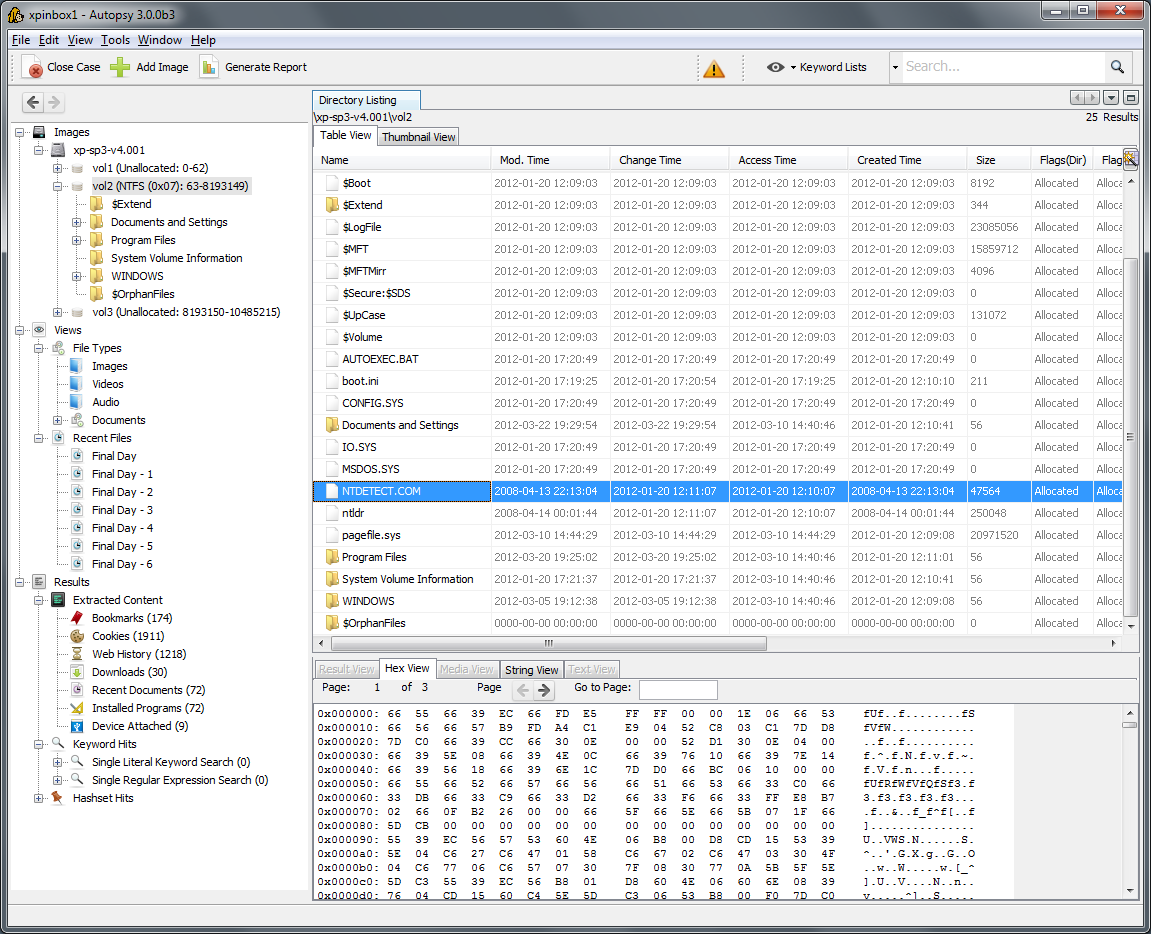
Autopsy Interface

Image

Image

Image

Image


How It Works (Basic Steps)

  1. Create New Case

  2. Add Data Source (Disk Image / Drive)

  3. Select analysis modules

  4. Review extracted artifacts

  5. Generate report

Autopsy is often the first tool used in disk-based forensic investigations.


2️⃣ Binwalk

About

Binwalk is used for analyzing firmware images.

It helps in:

  • Extracting embedded files

  • Reverse engineering firmware

  • Identifying hidden data


Example Usage:

binwalk firmware.bin

To extract contents:

binwalk -e firmware.bin

Commonly used in IoT device investigations.


3️⃣ Galleta

About

Galleta is used to analyze Internet Explorer cookie files.

It helps investigators:

  • Identify browsing behavior

  • Extract timestamps

  • Recover user activity

Used in browser-based forensic investigations.


4️⃣ Hashdeep

About

Hashdeep is used for computing and verifying file hashes.

Hashing ensures:

  • Evidence integrity

  • No tampering

  • Authenticity verification


Example Usage:

hashdeep -r /evidence_folder > hashes.txt

It generates hash values for files recursively.

This is critical in maintaining legal credibility of evidence.


5️⃣ Volafox

About

Volafox is used for analyzing memory dumps from macOS systems.

It helps in:

  • Extracting running processes

  • Identifying malware

  • Analyzing memory artifacts

Primarily used for macOS forensic investigations.


6️⃣ Volatility

About

Volatility is one of the most powerful memory forensic tools.

It analyzes RAM dumps to detect:

  • Running processes

  • Hidden malware

  • Network connections

  • Injected code

  • Rootkits


Example Usage:

volatility -f memory.dmp imageinfo

List processes:

volatility -f memory.dmp --profile=Win7SP1x64 pslist

Memory forensics is crucial because attackers often leave traces in RAM.


Types of Digital Evidence

Digital forensic tools can analyze:

  • Hard disks

  • USB drives

  • SSDs

  • Mobile devices

  • Memory dumps

  • Log files

  • Email archives


Digital Forensics Investigation Workflow

  1. Identify and secure device

  2. Create forensic image (bit-by-bit copy)

  3. Calculate hash value

  4. Analyze using forensic tools

  5. Recover deleted artifacts

  6. Document findings

  7. Prepare forensic report


Real-World Example

In a cybercrime case:

  • A suspect's laptop is seized

  • Forensic image is created

  • Hash value is calculated

  • Autopsy analyzes disk image

  • Volatility analyzes RAM dump

  • Deleted emails and browser history are recovered

  • Evidence is presented in court


Comparison of Forensic Tools

ToolPurposeType
AutopsyDisk analysisGUI
BinwalkFirmware analysisCLI
GalletaCookie analysisCLI
HashdeepHash verificationCLI
VolafoxmacOS memory analysisCLI
VolatilityRAM forensic analysisCLI

Importance of Forensics in Cybersecurity

Digital forensics helps in:

  • Incident response

  • Insider threat investigation

  • Malware analysis

  • Legal compliance

  • Cybercrime prosecution

It bridges cybersecurity and law enforcement.


Legal & Ethical Considerations

Forensic analysis must:

  • Follow proper legal procedures

  • Maintain chain of custody

  • Preserve evidence integrity

  • Avoid evidence contamination

Improper handling can invalidate evidence in court.

Wireless Attacks in Kali Linux – Tools and Security Testing Guide

Wireless Attacks in Kali Linux – Tools and Security Testing Guide

What Are Wireless Attacks?

Wireless attacks target Wi-Fi networks, access points, and wireless clients to identify security weaknesses.

These attacks may include:

  • Wi-Fi password cracking

  • Rogue / Fake access points

  • Man-in-the-Middle (MITM) attacks

  • Packet sniffing

  • Wireless information gathering

In Kali Linux, wireless testing tools are available for security professionals under:

Applications → Wireless Attacks

⚠ These tools must only be used in authorized lab environments.


Common Wireless Attack Techniques

1️⃣ WEP/WPA/WPA2 Cracking
2️⃣ Evil Twin Attack (Fake Access Point)
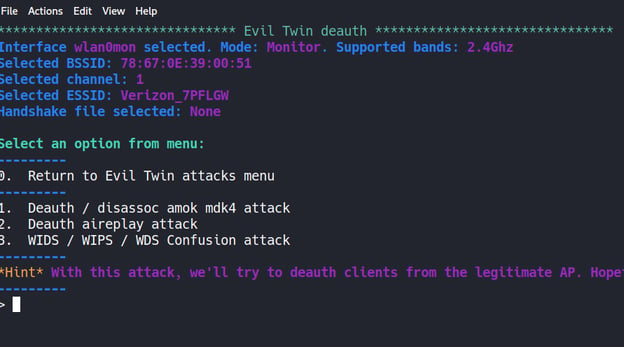
3️⃣ Deauthentication Attack
4️⃣ Packet Sniffing
5️⃣ Man-in-the-Middle (MITM)
6️⃣ Wireless Reconnaissance


Lab Requirement for Wireless Testing

To perform wireless security testing:

  • Kali Linux machine

  • Wireless adapter supporting Monitor Mode

  • Test router (your own)

  • Isolated lab environment

Check wireless interface:

iwconfig

Enable monitor mode:

airmon-ng start wlan0

1️⃣ Aircrack-ng

About

Aircrack-ng is the most popular wireless security auditing tool suite.

It includes tools for:

  • Packet capture

  • Deauthentication

  • WPA/WPA2 handshake capture

  • Password cracking


Aircrack-ng Workflow

Step 1: Enable Monitor Mode

airmon-ng start wlan0

Step 2: Scan Networks

airodump-ng wlan0mon

Step 3: Capture Handshake

airodump-ng -c 6 --bssid <AP_MAC> -w capture wlan0mon

Step 4: Deauthentication Attack

aireplay-ng --deauth 10 -a <AP_MAC> wlan0mon

Step 5: Crack Password

aircrack-ng capture.cap -w rockyou.txt

Aircrack-ng Example Output

Image

Image

Image

Image


2️⃣ Fern WiFi Cracker

About

Fern Wifi Cracker is a GUI-based wireless cracking tool.

Features:

  • WEP/WPA cracking

  • Automated attack

  • Session hijacking

  • Brute-force & dictionary attacks

Launch:

fern-wifi-cracker

It is beginner-friendly compared to command-line tools.


3️⃣ Kismet

About

Kismet is a wireless network detector and packet sniffer.

It helps in:

  • Wireless reconnaissance

  • Detecting hidden networks

  • Identifying rogue access points

  • Monitoring wireless traffic


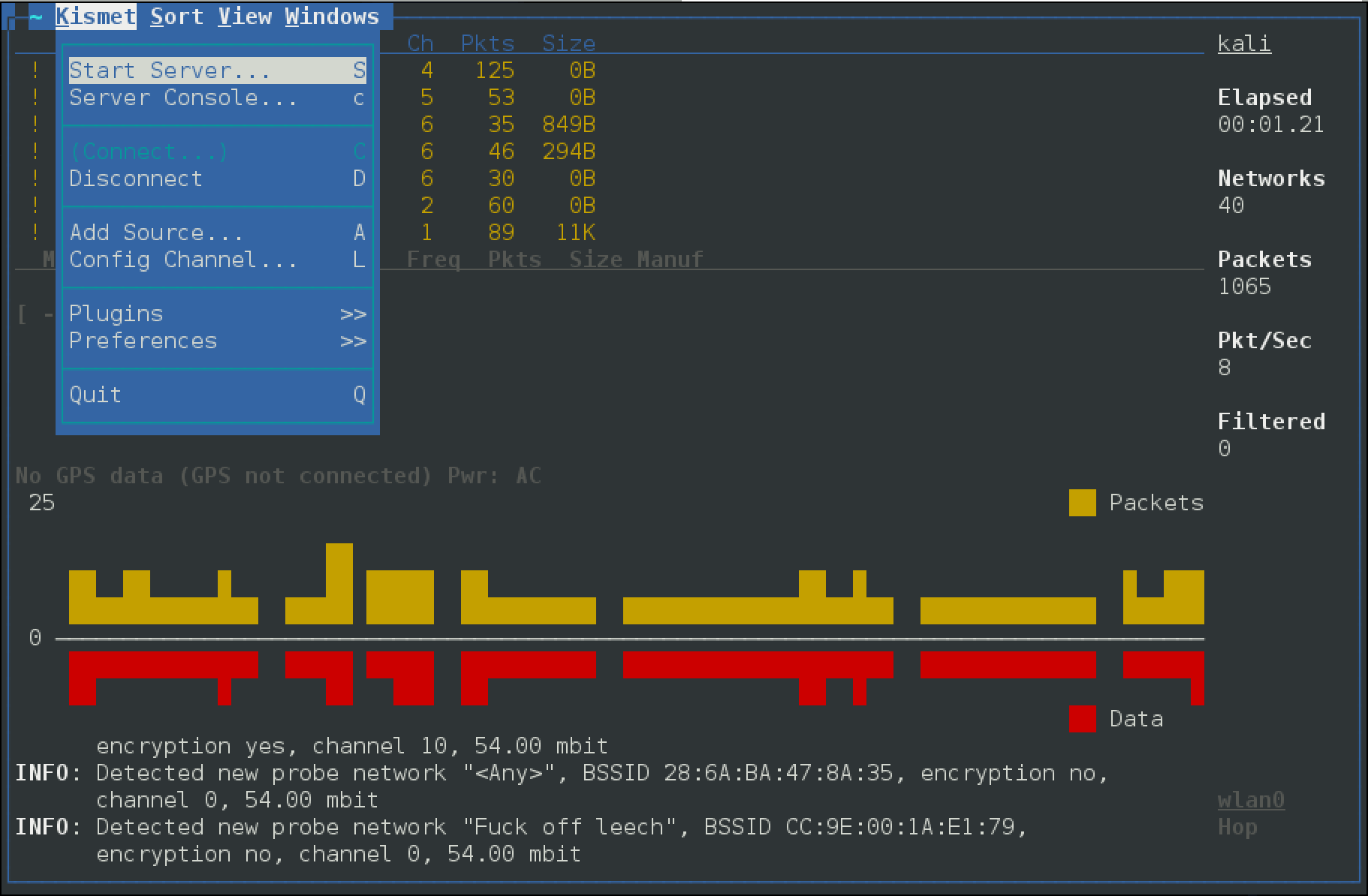
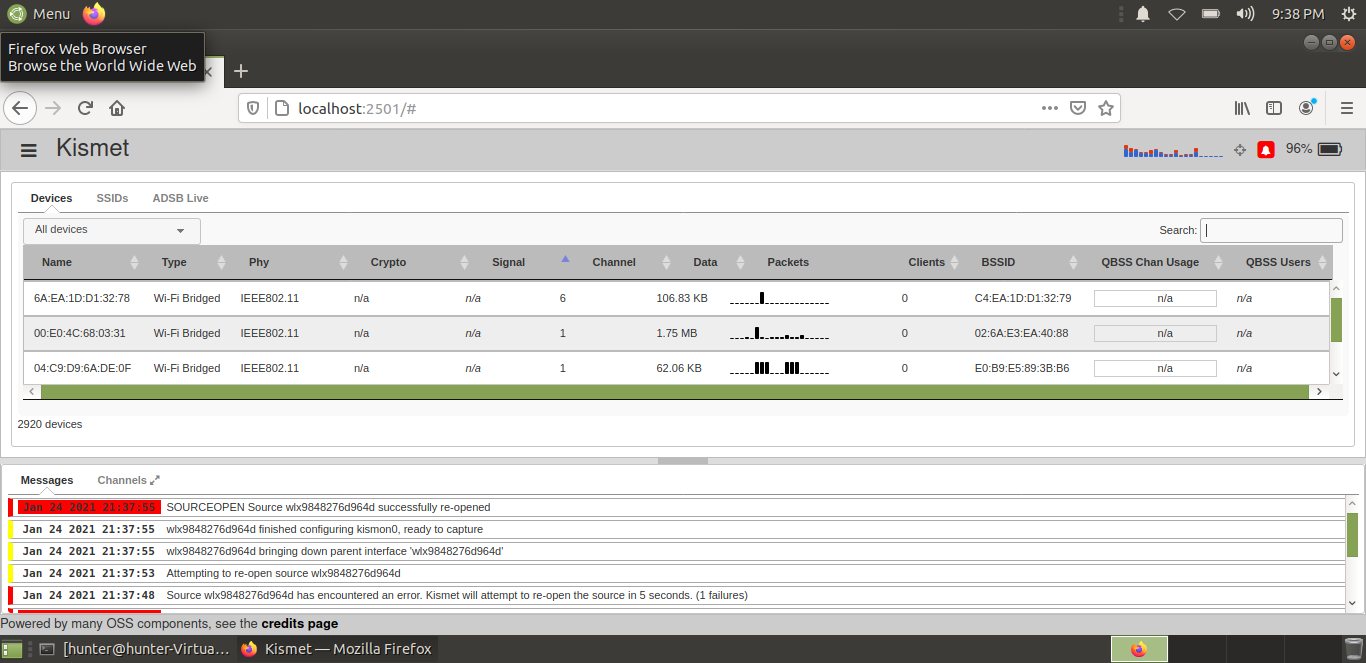
Kismet Interface

Image

Image

Image

Image


Launch:

kismet

Kismet is mainly used for passive information gathering.


4️⃣ Ghost Phisher

About

Ghost Phisher is used to create fake access points (Evil Twin attacks).

Capabilities:

  • Fake AP creation

  • DNS spoofing

  • Credential harvesting

  • MITM attacks

Scenario Example:

Victim connects to a fake Wi-Fi hotspot →
Attacker intercepts traffic →
Login credentials may be captured.


5️⃣ Wifite

About

Wifite is an automated wireless auditing tool.

It combines:

  • Aircrack-ng

  • Reaver

  • Handshake capture

  • WPA cracking

Launch:

wifite

Wifite automates:

  • Scanning

  • Handshake capture

  • Deauthentication

  • Password cracking

It is useful for quick lab testing.


Wireless Attack Scenario Example

Evil Twin Attack

  1. Attacker creates fake Wi-Fi named “Free_Public_Wifi”

  2. Victim connects to fake AP

  3. Attacker intercepts traffic

  4. Login credentials may be captured

This is commonly used in:

  • Airport Wi-Fi attacks

  • Coffee shop hotspots

  • Public Wi-Fi environments


Wireless Security Testing Workflow

  1. Enable monitor mode

  2. Scan wireless networks

  3. Identify encryption type

  4. Capture handshake

  5. Attempt password audit

  6. Report vulnerabilities

  7. Recommend security improvements


How to Protect Against Wireless Attacks

To secure Wi-Fi networks:

  • Use WPA3 encryption

  • Disable WPS

  • Use strong passwords

  • Hide management interfaces

  • Enable MAC filtering

  • Monitor rogue access points

  • Avoid connecting to public Wi-Fi


Comparison of Tools

ToolTypePurpose
Aircrack-ngCLIWireless cracking
Fern WiFi CrackerGUIBeginner-friendly cracking
KismetPassive ScannerWireless reconnaissance
Ghost PhisherMITM ToolFake access point
WifiteAutomatedQuick wireless audit

Legal Warning

Wireless attacks must only be performed:

  • In your own lab

  • On your own router

  • With written authorization

Unauthorized Wi-Fi attacks are illegal under cyber laws.